November 10, 2026
In this article, we will cover:
- Wix integration peculiarities
- What you need before starting the integration
- Step-by-step setup
- Testing and verification
Important things to note
- Tracking runs on your Wix thank-you page ensures customers land there for conversions to be recorded.
- Subscription renewals and off-site checkouts aren’t tracked automatically.
- Cancelled and refunded orders are not synced either: disapprove the commission or adjust the conversion amount yourself.
Prerequisites
Before you start, make sure you have:- A Tapfiliate account with access to your Account ID
- Access to your WIX Editor Page
- Your WIX website is in WIX Online Store format
Steps to complete tracking setup
Step 1: Locate the Wix editorGo to your WIX account and find the ✏️ Edit Site button.

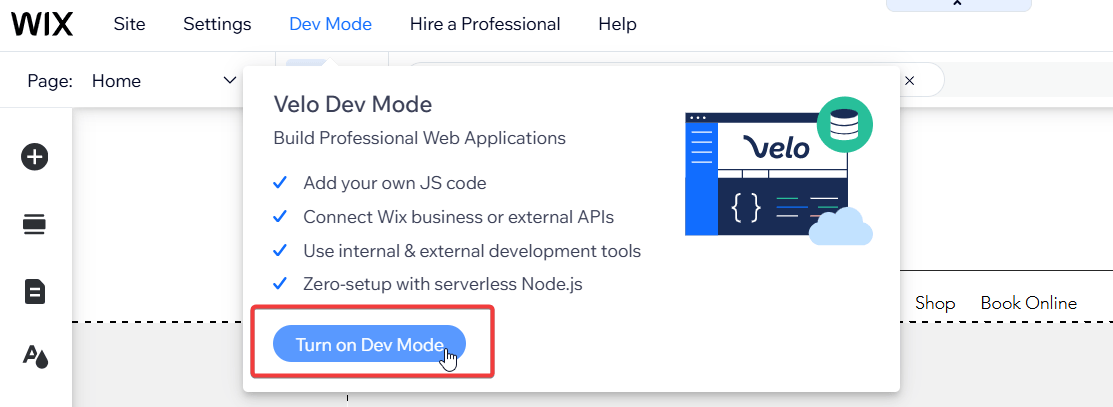
In the Editor tab, find the Dev Mode on the top panel and switch to the dev mode.
On the left sidebar, locate your Thank You Page (1) and find the Thank You Page ID (2):
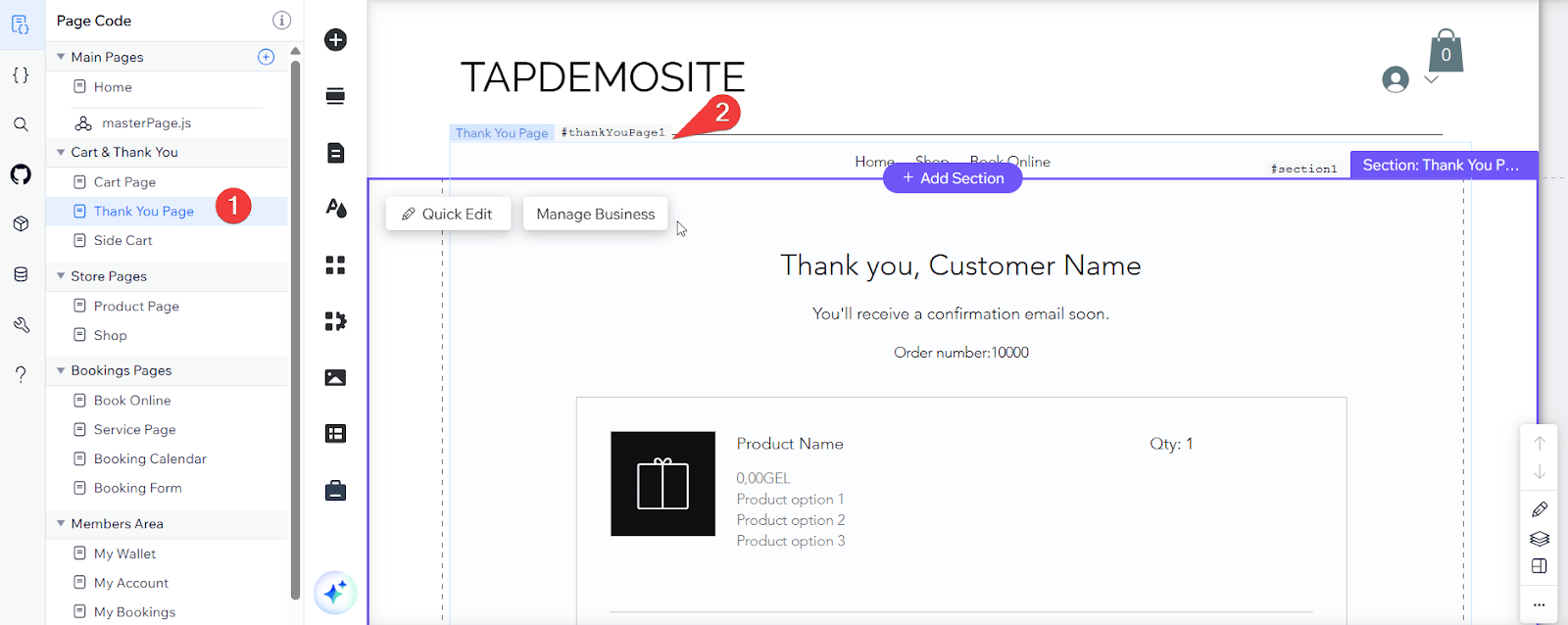
#thankYouPage1.Step 4: Add the tracking script
Now, switch to masterPage.js and paste the following code there:
const thankYouPageId = "thankYouPage1"; // Replace with your thank you page id if not thankYouPage1const accountId = "YOUR ACCOUNT ID";import wixLocation from"wix-location";import wixWindow from"wix-window";import{fetch}from"wix-fetch";import{local}from"wix-storage";let query=wixLocation.query;const removeUndefined=e=>{for(var t in e){if(e[t]===undefined)delete e[t]}return e};const objectToQueryString=e=>{var t,o,n,r,i,c;o=[];i=/%20/g;n=function(e,t){t=typeof t==="function"?t():t===null?"":t;o[o.length]=encodeURIComponent(e)+"="+encodeURIComponent(t)};if(e instanceof Array){for(r in e){n(r,e[r])}}else{for(t in e){buildParams(t,e[t],n)}}c=o.join("&").replace(i,"+");return c};function buildParams(e,t,o){var n,r,i,c;c=/\[\]$/;if(t instanceof Array){for(r=0,i=t.length;r<i;r++){if(c.test(e)){o(e,t[r])}else{buildParams(e+"["+(typeof t[r]==="object"?r:"")+"]",t[r],o)}}}else if(typeof t==="object"){for(n in t){buildParams(e+"["+n+"]",t[n],o)}}else{o(e,t)}}const getPublisherMeta=()=>{let e=null;for(var t in query){if(t.slice(0,3)==="tm_"){e=e||{};e[t.slice(3,t.length)]=query[t]}}return e};const request=(e,t,o,n)=>{t=removeUndefined(t);t.sv="wix-v1";const r=objectToQueryString(t);const i=e+"?"+r;o=o||i.length>2083?"POST":"GET";const c=o==="GET"?i:e;t=o==="POST"?JSON.stringify(t):null;const a={method:o,body:t};if(t){a.body=t}fetch(c,a).then(e=>{if(!e.ok)return null;return e.json()}).then(e=>{if(e&&typeof n==="function"){n(e)}})};if(query.ref||(query.tap_a&&query.tap_s)){const e={acc:accountId,refc:query.ref,aid:query.tap_a,sid:query.tap_s,pm:getPublisherMeta(),ref:wixWindow.referrer,cup:wixLocation.url,int:"wix"};request("https://frstre.com/event/",e,null,e=>{local.setItem("tap_vid",e.vid)})}$w.onReady(function(){const e=$w("#"+thankYouPageId);if(Array.isArray(e))return;e.getOrder().then(e=>{const t=local.getItem("tap_vid");if(!t)return;const o={customer_id:e.billingInfo.email,currency:e.currency};if(e.appliedCoupon){o.coupons=e.appliedCoupon.code}const n=e.totals.subtotal-e.totals.discount;const r={acc:accountId,vid:[t],tid:e.number,tam:n,options:o,int:"wix"};request("https://tapi.tapfiliate.com/conversions/",r,"POST")}).catch(()=>{})});- Make sure the thankYouPageId matches the value from the Thank You Page (Step 3);
- Don’t forget to add your Tapfiliate Account ID instead of ‘YOUR ACCOUNT ID’.

Testing and Verification
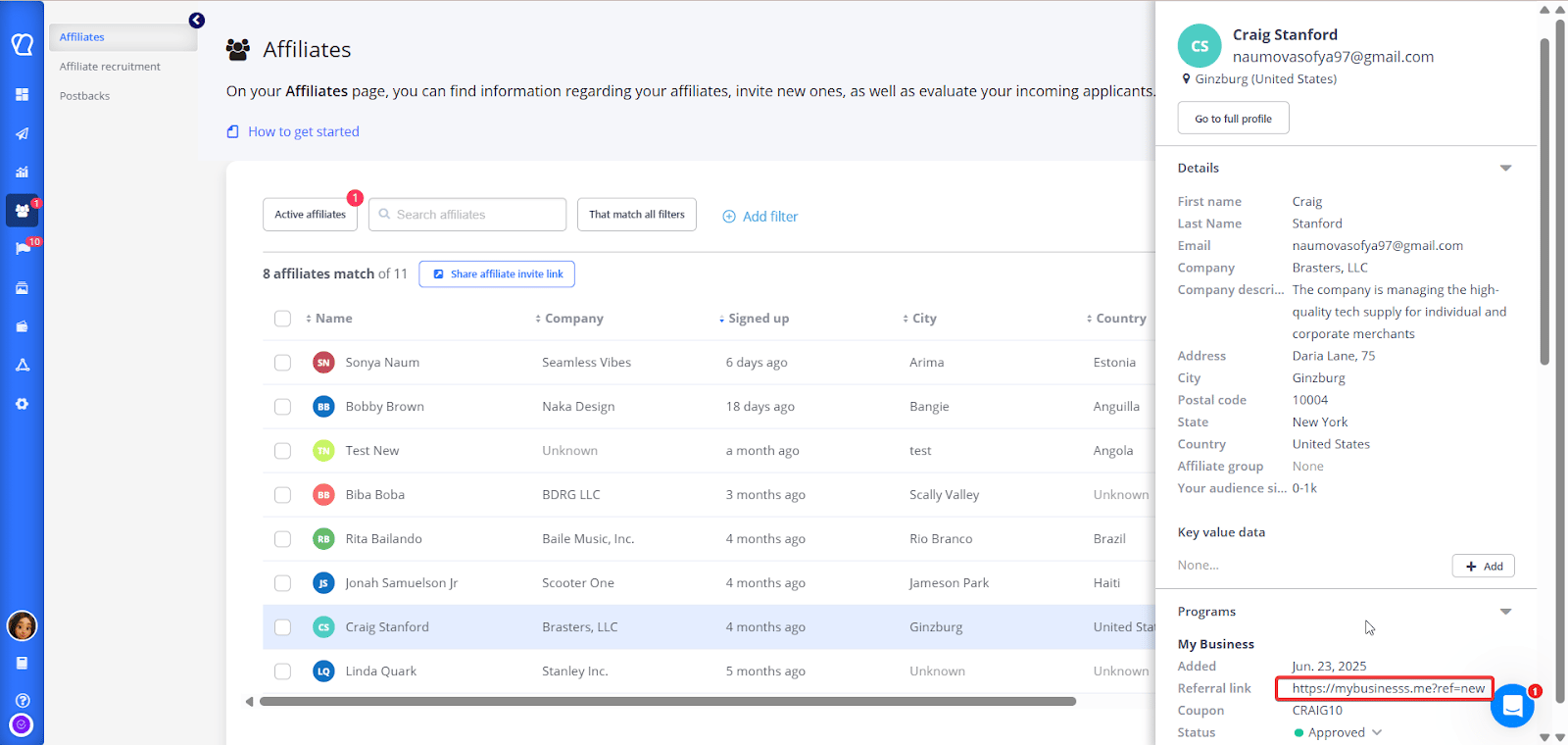
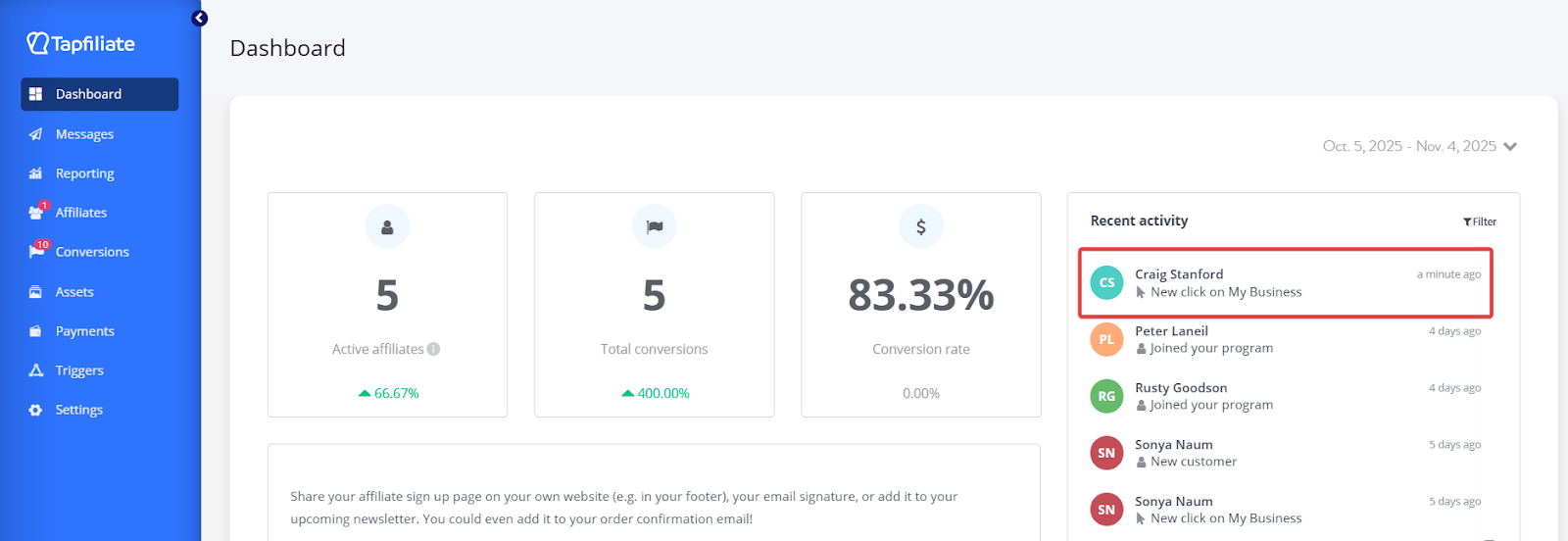
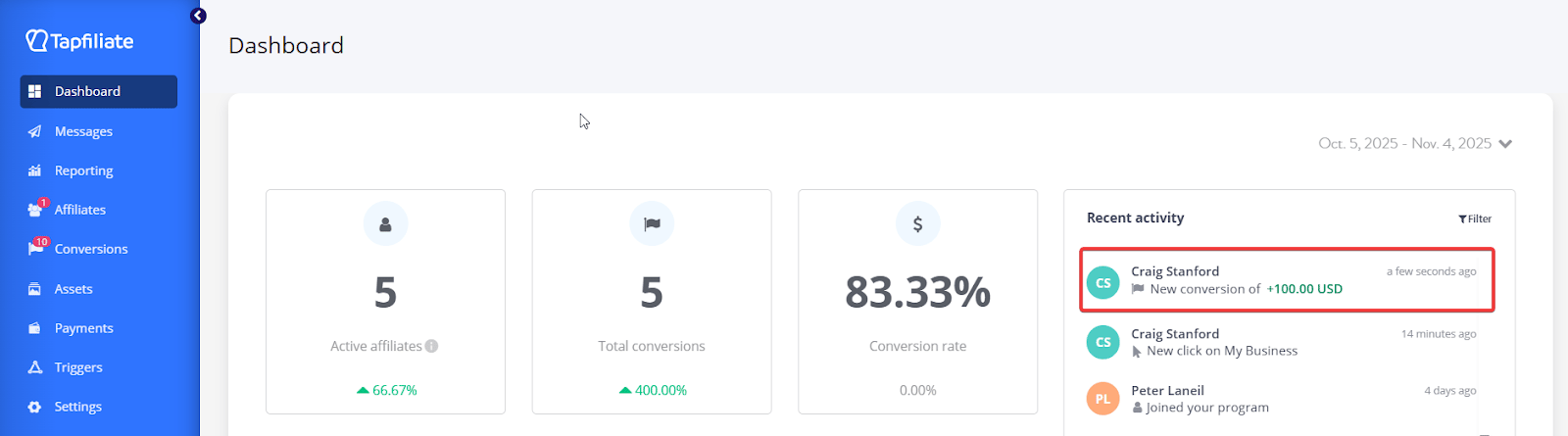
To run a tracking test, navigate to your website via an affiliate referral link in your program.Locate a test affiliate in your Tapfiliate account > Affiliates:
FAQ
Can I connect any other WIX-based website (e.g., Wix Subscriptions)?No, our integration is designed only for the Wix Online Store format.
Can the Wix integration be tested using the Tapfiliate Tester tool?
Since Wix can only render custom-formatted code, the Tester won’t work for verification. Tapfiliate Tester can read only the JavaScript code, whereas the Wix script is different.
Still need help?
If you have any questions or if something in this guide is unclear, please don’t hesitate to contact us at support@tapfiliate.com. We’re happy to assist!