November 9, 2026
This setup is intended for advertisers using GoDaddy Managed WordPress who want to track affiliate clicks and conversions using Tapfiliate’s official WordPress plugin.In this article, we will cover:
- Why GoDaddy WordPress works well with Tapfiliate
- What you need before starting
- Step-by-step integration
- How to validate your tracking
- Best practices
GoDaddy WordPress Integration Overview
GoDaddy Managed WordPress allows full access to WordPress plugins, making it the recommended and easiest way to integrate Tapfiliate.With this integration, you can:
- Track affiliate-driven clicks and conversions
- Automatically attribute commissions
- Monitor affiliate performance in real time
Prerequisites Before Starting
Before you start, make sure you have:- Your Tapfiliate Account ID
- A GoDaddy Managed WordPress website
- Admin access to your WordPress dashboard
- WooCommerce installed (if tracking purchases)
Integration Steps
Step 1: Install the Tapfiliate WordPress Plugin
- Log in to your WordPress Dashboard
- Go to Plugins → Add New
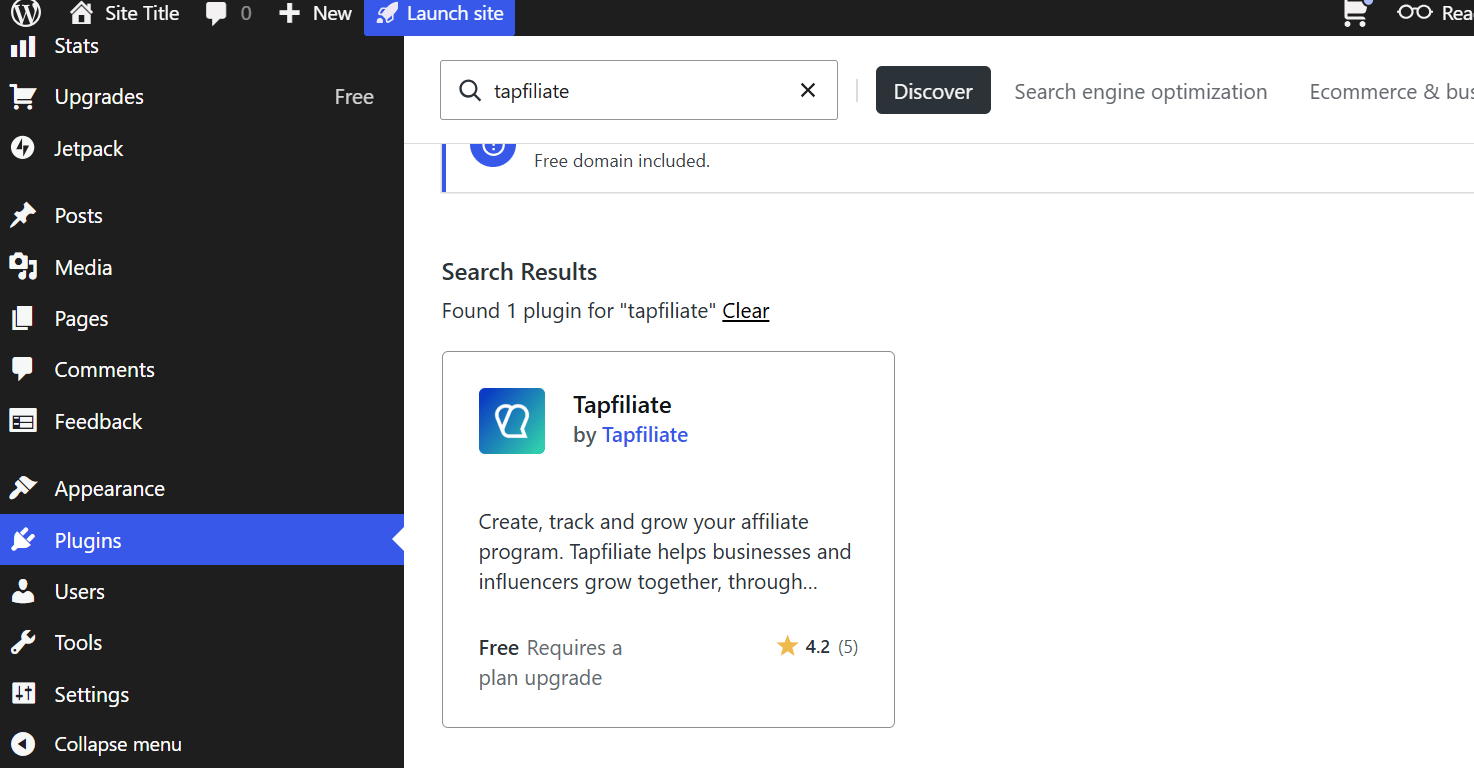
- Search for Tapfiliate
- Install and activate the official plugin
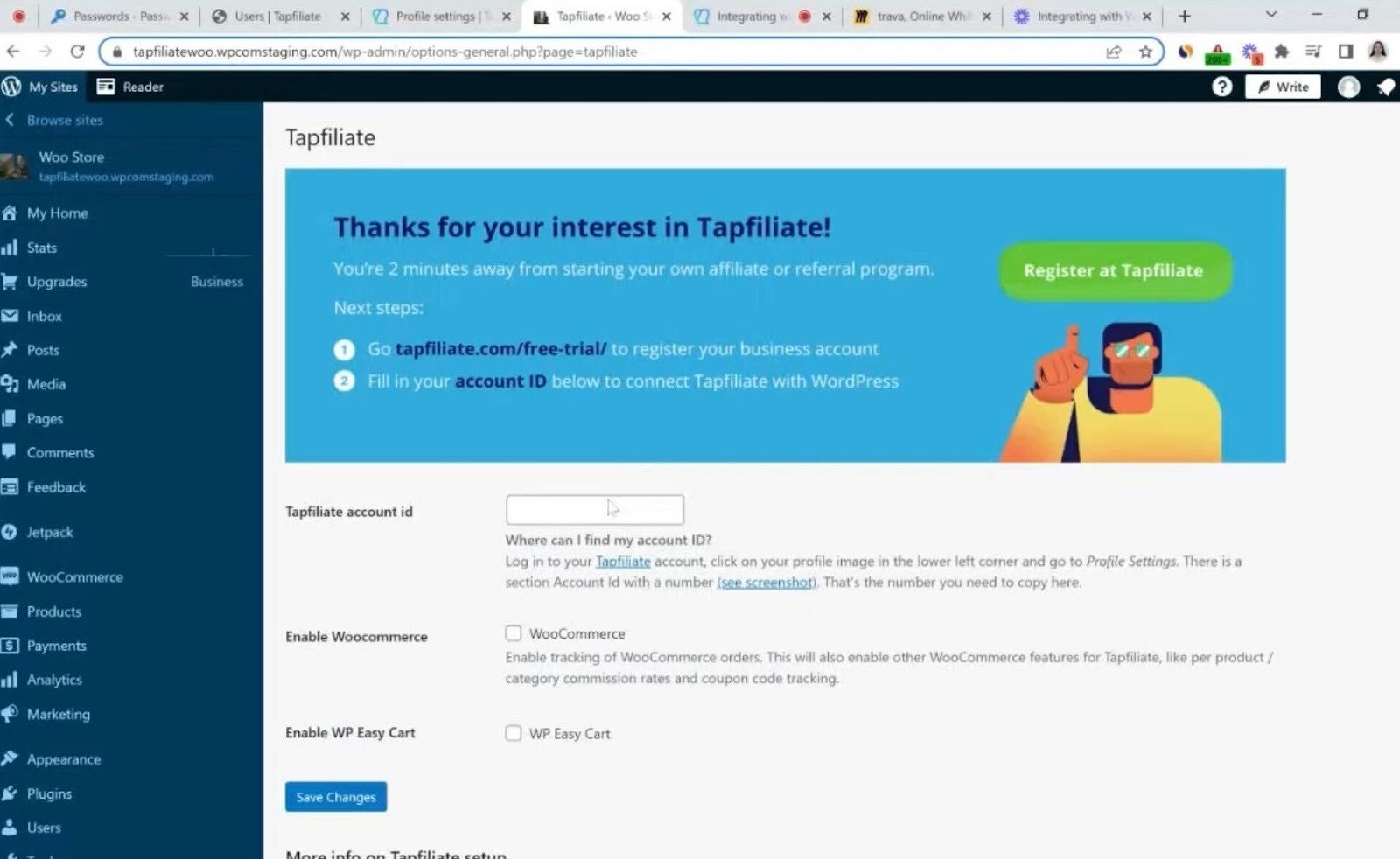
- Go to Settings → Tapfiliate in WordPress
- Enter your Tapfiliate Account ID
- If you sell with WooCommerce, check Enable WooCommerce. Without it, purchases are not tracked.
- Save your settings
- If you sell with WooCommerce, click Connect in the Connect with Tapfiliate row and approve the connection, so refunds, cancellations and subscription changes are handled automatically. Your site must use SSL.
Once connected:
- The tracking script is added to all pages automatically
- Conversion tracking is added to the WooCommerce Thank You page (with Enable WooCommerce checked)
- No manual code changes are required
How to Validate Your Integration
To confirm everything works:- Visit your site using an affiliate link
- Complete a test purchase
- In Tapfiliate, verify that:
- A click is recorded
- A conversion appears with the correct amount
What If You Don’t Use WooCommerce?
WooCommerce is only required if you want to track purchases made through a WordPress-based store.If you don’t use WooCommerce, you can still use Tapfiliate with GoDaddy WordPress by:
- Tracking leads or signups instead of purchases
- Using external checkout tools (such as Stripe Checkout or hosted payment pages)
- Sending conversion events to Tapfiliate using automation tools like Zapier or Make
Best Practices
- Test tracking before launching your affiliate program
- Enable lifetime commissions if applicable
- Avoid checkout customizations that skip the WooCommerce confirmation page
If you need assistance integrating Tapfiliate with GoDaddy WordPress, contact support@tapfiliate.com. We’re happy to help.