November 9, 2026
In this article, we will cover:
- Why Magento is a powerful integration for Tapfiliate
- What you need before starting the integration
- Step-by-step setup
- Advanced optional features
- Testing and verification
Magento Integration Overview
Tapfiliate provides a flexible integration method for Magento, enabling accurate tracking of affiliate clicks and conversions, including coupon-based conversions and lifetime commissions. Magento 1 integrates with Tapfiliate through template edits, while Magento 2 relies on a third-party extension to enable tracking.Pros:
- Conversion tracking
- Commission based on order amount
- Affiliate coupon-code conversions
- Lifetime/recurring commissions
- Developer required (code changes needed)
- Only supports Magento 1 out of the box
- Magento 2 integration depends on a third-party provider
Prerequisites for integrating Magento
To successfully integrate, ensure you have the following:- A Tapfiliate account with your Account ID
- Admin access to your Magento backend
- Ability to edit theme templates (footer + success page)
Steps to complete tracking setup
Step 1: Set up click trackingTo install Tapfiliate tracking on your Magento store, add the main tracking code to your footer.
In Magento Admin (Magento 1):
Go to:
Configuration → General → Design → Footer
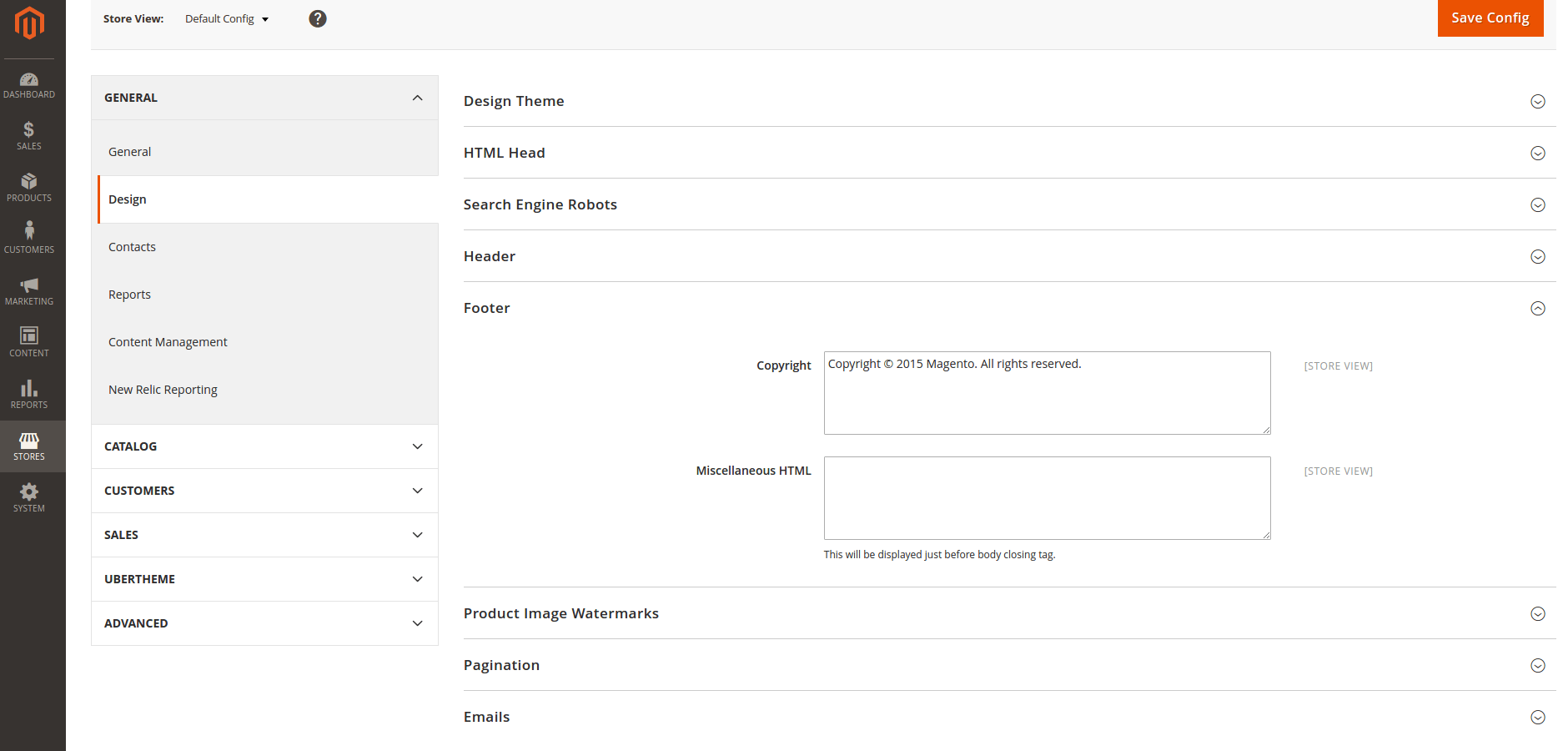
This code enables global click tracking on all store pages.
Step 2: Set up conversion tracking (Magento 1)
To track purchases, add a conversion script to your order success page.
Edit the success page template:
Open the file:
app/design/frontend/XXXX/XXXX/template/checkout/success.phtml
Add the following code at the end:
Magento 2 Integration (via third-party)
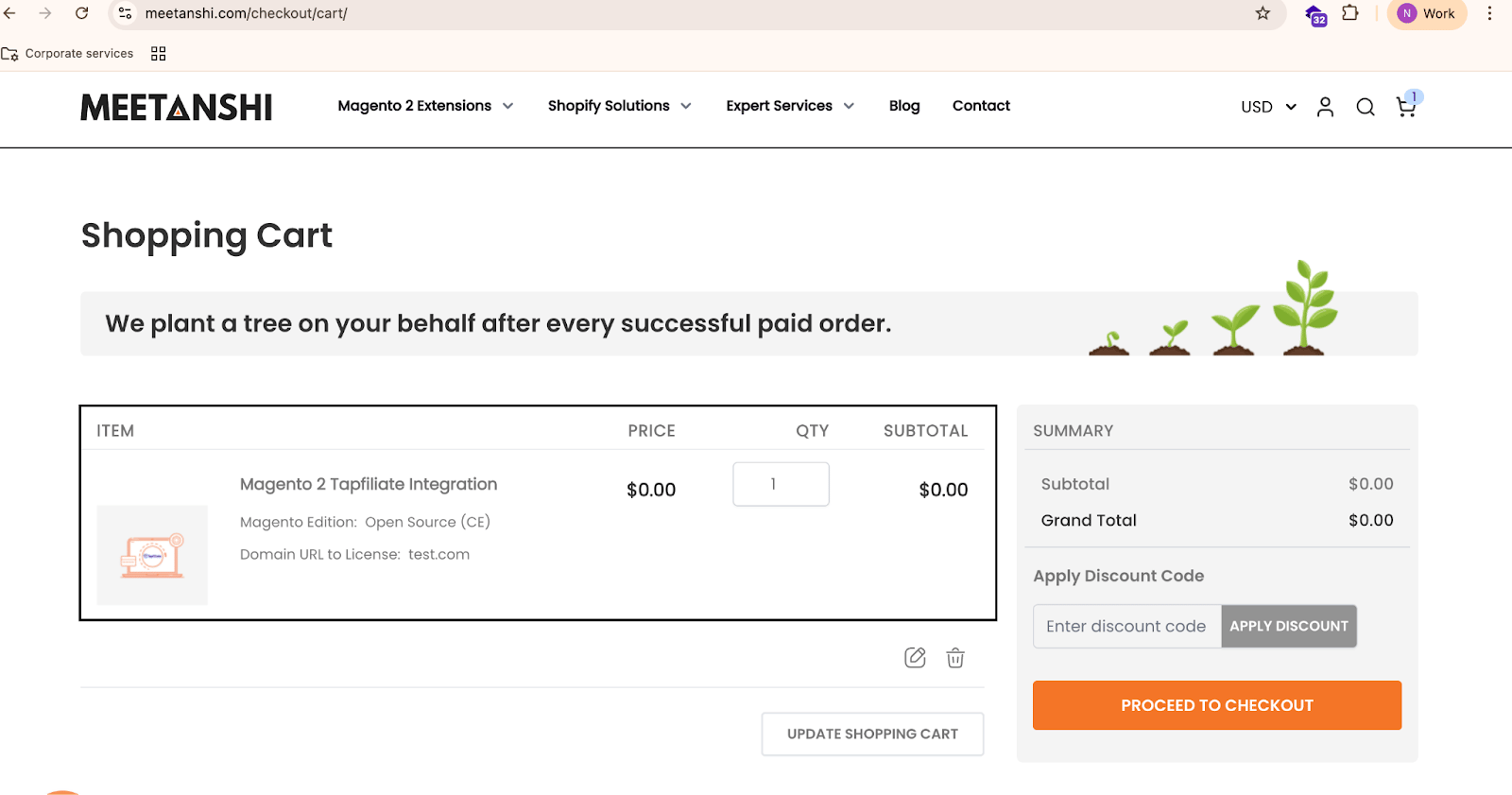
Magento 2 does not include native Tapfiliate integration. Instead, install the free third-party extension from Meetanshi:
Download:
https://meetanshi.com/magento-2-tapfiliate-integration.html
Note: Since this integration is created and maintained by a third-party developer, Tapfiliate support cannot assist with Magento 2-specific extension issues.
Advanced or Optional Features
Affiliate coupon-code tracking
If you created coupon codes for affiliates in Tapfiliate:- Use the Tapfiliate coupon tracking feature
- The Magento 1 conversion code above sends the order’s coupon code with the conversion, so affiliate coupons attribute the sale
Order amount–based commissions
Tapfiliate will calculate commission based on the amount passed in the conversion script.Lifetime / recurring commissions
Tapfiliate supports recurring/lifetime commissions for all customers who originate from an affiliate.Refund & dispute handling
Refunds and disputes are not synced from Magento automatically. When an order is refunded, disapprove the commission of that conversion in Tapfiliate (the conversion’s external ID is your Magento order number).How to Test and Verify Integration
Follow these steps to test your Magento tracking:- Create a test affiliate in Tapfiliate
- Open the test affiliate’s referral link in an incognito window
- Verify that the click appears in:
Tapfiliate → Reporting → Affiliates → Clicks - Complete a test purchase to trigger your success page conversion script
- Check Tapfiliate → Conversions to confirm the conversion appears
- Ensure the:
- Order ID matches
- Amount matches
Need More Help?
If you have questions or need assistance, feel free to contact us at support@tapfiliate.com. We’re happy to help!