October 22, 2026
Using Make.com, you can trigger Tapfiliate conversions whenever a CRM event occurs, allowing you to reward affiliates for lead generation, sales pipeline milestones, or closed deals without writing custom code.
In This Article
We will cover:- Why CRM integrations are powerful for Tapfiliate
- What you need before starting
- Supported CRMs and available triggers
- Advanced and optional setups
- Testing and verification
- Key notes and best practices
Why CRM Integrations Are Powerful for Tapfiliate
Integrating your CRM with Tapfiliate allows you to connect affiliate tracking directly to your lead and customer lifecycle.Instead of tracking only checkout-based conversions, you can reward affiliates for:
- Lead creation
- Qualified prospects
- Account creation
- Deal or opportunity creation
- Status or stage changes inside your CRM
This setup is especially useful for:
- SaaS companies
- B2B lead generation businesses
- Sales-driven pipelines
- Multi-stage affiliate reward programs
Overview of CRM + Make.com Integration
Make.com acts as the automation bridge between your CRM and Tapfiliate.How It Works
- A visitor clicks an affiliate link and arrives on the client’s website.
- The visitor submits a form or becomes a lead/contact in your CRM.
- Make.com detects this CRM event through a trigger module.
- Make.com sends a Create Conversion or Create Customer request to Tapfiliate.
What You Need Before Starting
Before creating the integration, make sure you have:- An active Tapfiliate account
- An active Make.com account
- Access to your CRM (admin permissions recommended)
- A way to store the Tapfiliate referral identifier inside your CRM
- referral_code
- coupon_code
- tapfiliate_id
- custom tracking fields
- Lead created
- Contact created
- Deal created
- Deal closed
- Lifecycle stage updated
General Integration Flow (All CRMs)
Most Make.com integrations follow this structure:Trigger (CRM Event) → Filter (optional conditions) → Action: Create Conversion or Customer in Tapfiliate Optional fields you can send to Tapfiliate include:
- Customer ID
- External ID (Lead ID / Contact ID / Deal ID)
- Conversion amount
- Currency
- Metadata fields
Supported CRM Integrations
Make.com currently supports several popular CRM platforms that can be connected to Tapfiliate.Supported CRMs include:
- HubSpot
- Salesforce
- Pipedrive
- Zoho CRM
HubSpot Integration via Make.com
HubSpot combines CRM functionality, marketing automation, and form tracking, making it ideal for capturing affiliate-driven inbound leads.Available HubSpot Triggers
Common Make modules include:- Watch Contacts
- Watch Deals
- Watch Companies
- Watch Engagements
- Watch Form Submissions
Example Automation Scenarios
1. Contact Creation Conversion
Watch Contact Created → Create Conversion in Tapfiliate2. Form Submission Attribution
Watch Form Submission → Create Customer in Tapfiliate3. Deal-Based Commission
Watch Deal Created → Create Conversion with deal amount4. Closed-Won Payout
Watch Deal Updated → Filter: Stage = Closed Won → Create Conversion in Tapfiliate5. Lifecycle Stage Reward
Contact Lifecycle Stage Updated → Trigger ConversionSalesforce Integration via Make.com
Salesforce supports highly customizable pipelines and complex sales processes, making it ideal for multi-stage affiliate payouts.Available Salesforce Triggers
Typical Make modules include:- Watch Records
- Watch Leads
- Watch Contacts
- Watch Opportunities
- Watch Updated Fields
Example Automation Scenarios
1. Lead Attribution
New Lead created → Create Conversion in Tapfiliate2. Contact Creation Reward
New Contact created → Create Customer in Tapfiliate3. Opportunity-Based Commission
New Opportunity created → Create Conversion with opportunity amount4. Status-Based Conversion
Lead Status updated to “Qualified” → Trigger Conversion in Tapfiliate5. Multi-Stage Affiliate Rewards
Opportunity moved to “Closed Won” → Create final conversion with revenue value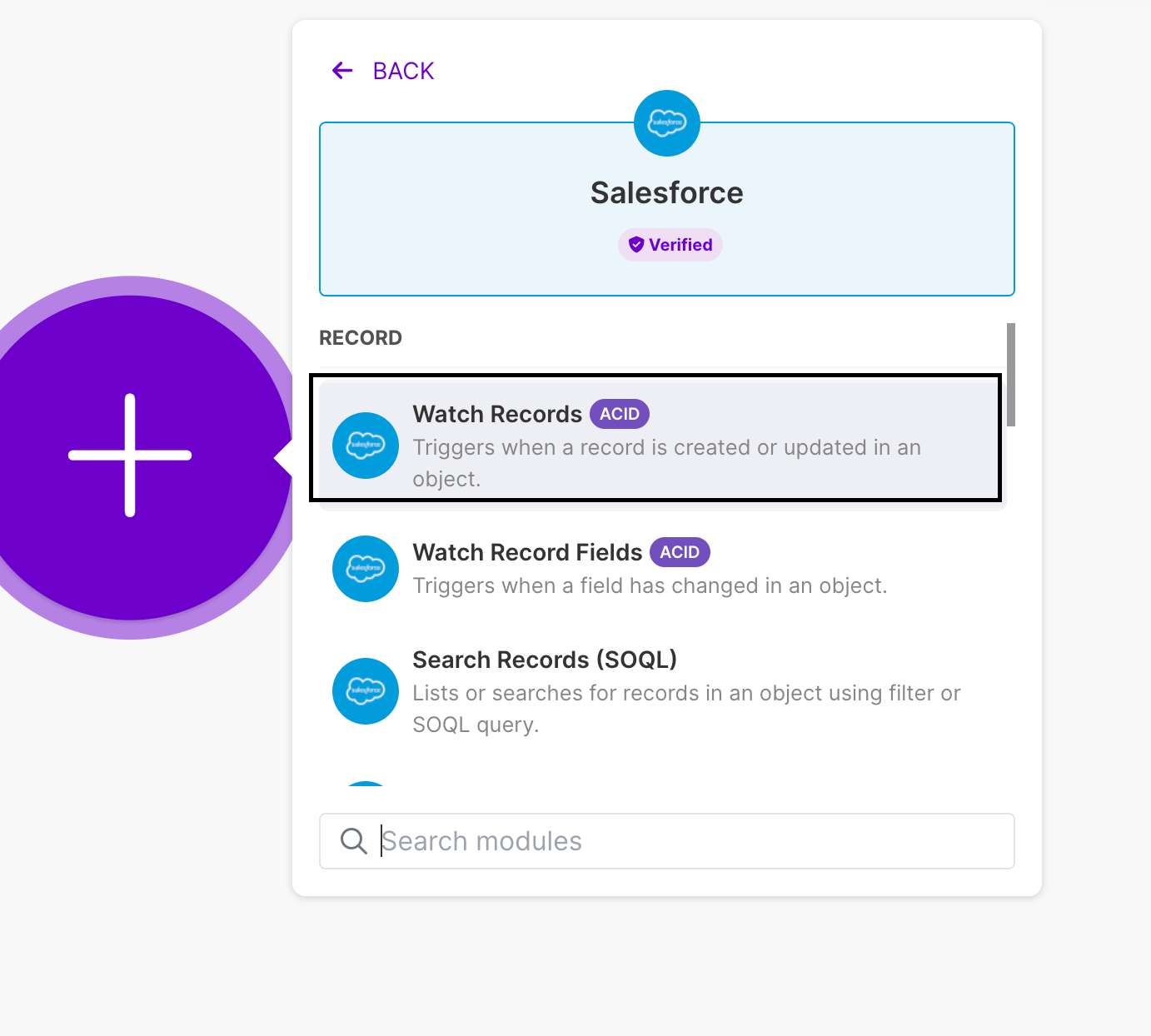
Pipedrive Integration via Make.com
Pipedrive focuses heavily on sales pipelines and deal activity, making it a good choice for affiliate programs that reward deal progress.Available Pipedrive Triggers
Make modules typically include:- Watch Deals
- Watch Persons
- Watch Organizations
- Watch Leads
- Watch Activities
Example Automation Scenarios
1. Lead Capture Tracking
New Lead created → Create Conversion in Tapfiliate2. Deal Value Commission
New Deal created → Create Conversion with deal value3. Deal Progression Reward
Deal updated to Won → Trigger Conversion in Tapfiliate4. Person Creation Attribution
New Person created → Create Customer in TapfiliateZoho CRM Integration via Make.com
Zoho CRM is widely used by B2B and SaaS companies and offers flexible modules for managing leads, contacts, and custom sales objects.Available Zoho CRM Triggers
Common Make modules include:- Watch Leads
- Watch Contacts
- Watch Deals
- Watch Accounts
- Watch Records in Custom Modules
Example Automation Scenarios
1. Lead-Based Affiliate Tracking
New Lead created → Create Conversion in Tapfiliate2. Contact Qualification Flow
Contact updated → Filter: Referral code exists → Create Conversion in Tapfiliate3. Deal / Opportunity Tracking
New Deal created → Create Conversion with deal value4. Lifecycle Upgrade Reward
Lead status updated to Qualified → Trigger Conversion in TapfiliateAdvanced & Optional Setups
1. Filtering Affiliate-Only Conversions
Use Make filters to ensure conversions are only triggered when:- A referral ID exists
- A coupon code is present
- A specific campaign or affiliate field exists
2. Revenue-Based Commissions
If your CRM stores deal or order value:Map the deal value field to the Amount field in Tapfiliate.
You can also dynamically pass:
- Currency
- Customer ID
- Order reference
3. Multi-Stage Funnels
With Make.com, you can create multiple conversions for a single customer, such as:- Lead created
- Trial started
- Deal qualified
- Deal closed
4. Advanced Routing and Logic
Make allows advanced automation using:- Routers
- Conditional filters
- Data mapping
- Multiple Tapfiliate actions within a single scenario
5. Server-Side (S2S) Tracking
For higher reliability or backend-only tracking, Tapfiliate also supports Postback (S2S) tracking.You can combine S2S tracking with CRM events for:
- more accurate attribution
- reduced client-side dependency
- improved reliability in privacy-restricted environments.
Test and Verify Your Setup
Before launching your integration, perform a full test.- Click an affiliate link.
- Complete the form or action that creates a CRM record.
- Confirm the Make scenario runs successfully.
- Check the Tapfiliate dashboard for:
- Customer creation
- Conversion attribution
- Correct affiliate assignment
Key Notes & Best Practices
- Always store the Tapfiliate referral ID in your CRM.
- Use external IDs (Lead ID, Contact ID, Deal ID) for de-duplication.
- Test every automation scenario using real data.
- Use filters to avoid duplicate conversions.
- Align commission logic with your CRM sales stages.
Need More Help?
If you have any questions or if something in this guide is unclear, please don’t hesitate to contact us at support@tapfiliate.com.We’re happy to help you design the best affiliate-to-CRM automation workflow for your business. 🚀