November 9, 2026
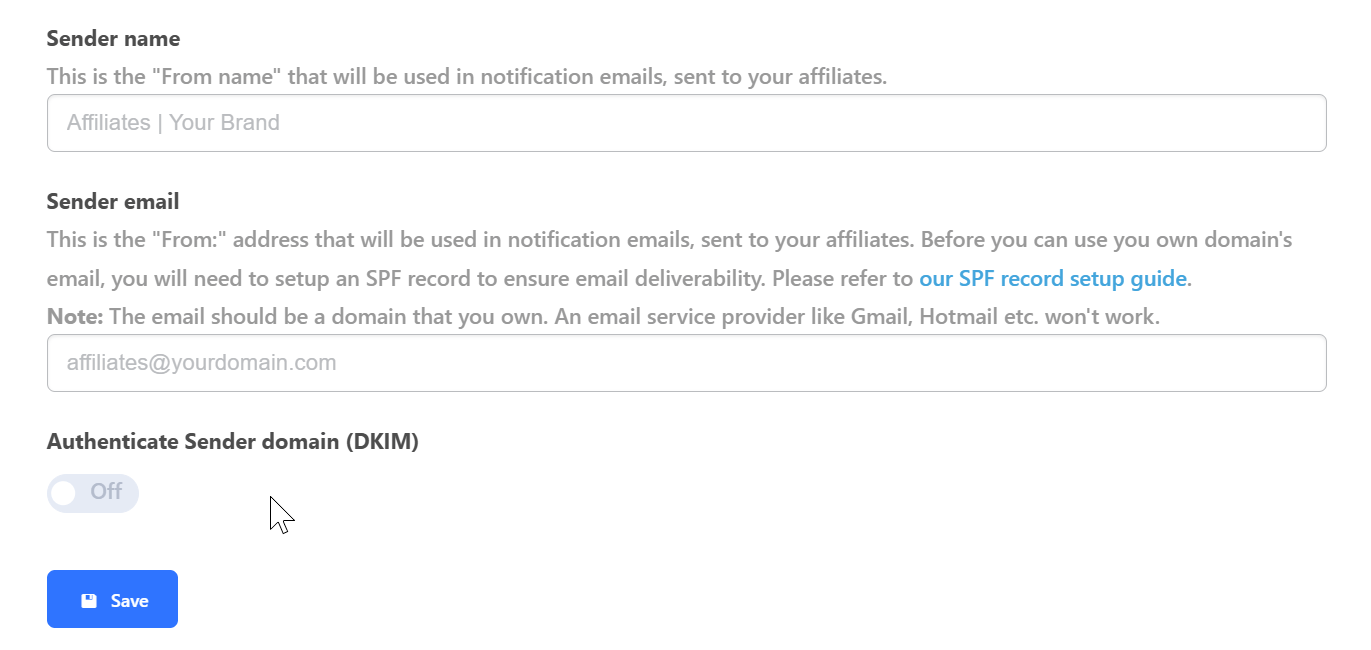
Using your own email address to communicate with affiliates (e.g., partners@yourbrand.com) is a professional way to build trust. To do this, you must set up an SPF record in your DNS.
An SPF (Sender Policy Framework) is a security record in your DNS that tells email providers which servers are allowed to send emails on behalf of your domain. Without this, your emails may be marked as spam or blocked.
- Access your DNS: Log in to your domain host (Cloudflare, GoDaddy, Namecheap, etc.).
- Check for existing SPF: Look for a TXT record that begins with
v=spf1. - Create or Update:
- If you DON’T have an SPF record: Create a new TXT record. Set the Host to
@(or leave blank for Wix) and the value to:v=spf1 include:spf.tapfiliate.com ?all - If you ALREADY have an SPF record: Do not create a second one. Instead, add
include:spf.tapfiliate.cominside your current record.- Example:
v=spf1 include:_spf.google.com include:spf.tapfiliate.com ~all
- Example:
- If you DON’T have an SPF record: Create a new TXT record. Set the Host to
Notes
- Public Email Services: Please bear in mind that an address from a service such as Gmail, Hotmail, or Yahoo will not work—the address you submit must be a part of a domain that you own.
- Affiliate Recruitment: Setting a sender’s email is a pre-requisite for enabling Affiliate Recruitment Actions.
Next Steps
- Troubleshooting: Having trouble with your email firing? See our FAQ: Troubleshooting Sender Email & SPF issues.
- Automation: Now that your email is set up, start Trigger emails.