November 9, 2026
1. Coupon tracking overview2. What you need before you start
3. Creating and assigning coupon codes
4. Assigning codes automatically
5. Tracking coupon conversions
6. Rules worth knowing
7. Troubleshooting and best practices
Coupon codes let you track affiliate-driven sales without relying on referral links or cookies. When a customer buys using an affiliate’s code, the conversion is credited to that affiliate even if the customer never clicked their link.
Coupon tracking is especially useful for:
- Influencer marketing
- Offline promotions
- Podcast or video mentions
- Situations where links are not practical
- Cookieless tracking, for example when visitors block cookies or switch device before buying
- Your checkout or billing system supports discount codes.
- Your store is integrated with Tapfiliate (native integration, REST API, postback or Zapier).
- The codes exist in your store before you assign them in Tapfiliate.
Codes are often case-sensitive. The code in Tapfiliate has to match your store exactly.
Step 1: Create the code in your store
- Open your platform’s discount or coupon section (Shopify Discounts, for example).
- Create the code, set its value, usage limits and expiry date.
- Save it.
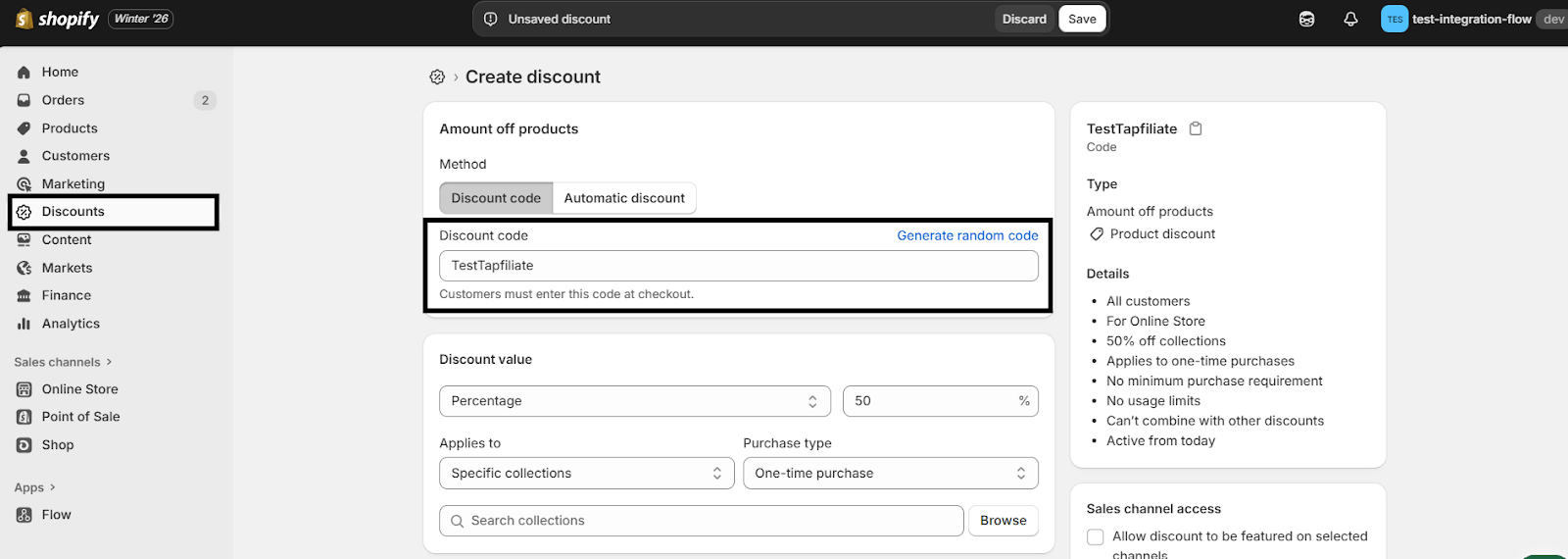
Step 2: Assign it to the affiliate in Tapfiliate
- Go to Affiliates.
- Click the affiliate’s name to open the details panel.
- Find the Coupon code field.
- Type the code exactly as it is in your store.
- Press Enter to save it. If you leave or refresh the page without pressing Enter, the code is not saved.
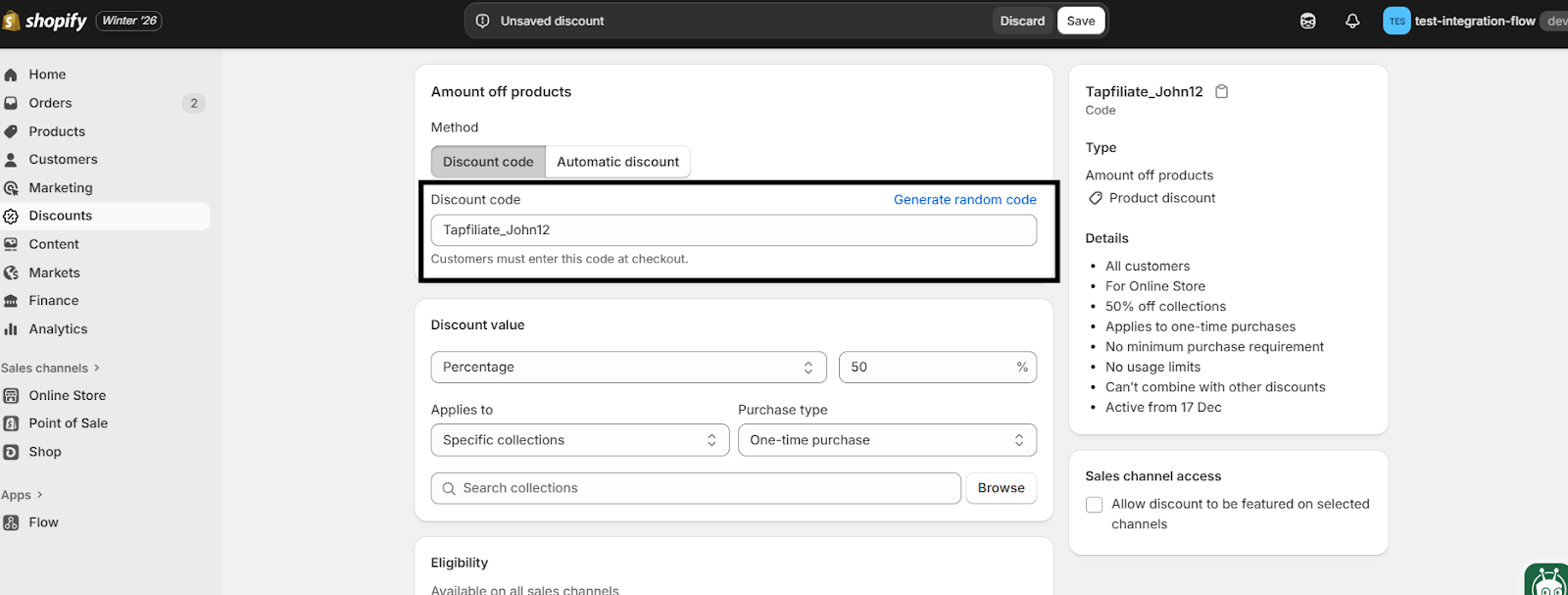
Setting codes for many affiliates at once
You can include coupon codes in the CSV when you import new affiliates, so a whole batch is set up in one go.For affiliates who are already in your account there is no bulk field in the dashboard, but you are not stuck doing them one by one either: the REST API sets a code on any affiliate, new or existing, so a short script can do the whole list. The call is in the next section.
If affiliates join your program continuously, assigning codes by hand does not scale. You can automate the whole thing, as long as your own system can create the discount code. Tapfiliate cannot create it for you.
Step 1: Get told when someone joins
In Tapfiliate, go to Settings > Triggers and create a trigger on the event Affiliate approved for program. If your program approves affiliates automatically, this fires as soon as someone signs up. Choose the Webhook action and point it at your backend.
Step 2: Create the code in your system
When your backend receives the webhook, it creates a discount code in your checkout, using whatever naming rule you like.
Step 3: Write the code back to Tapfiliate
Your backend sends a
PATCH request to programs/{program_id}/affiliates/{affiliate_id}/ with the body {"coupon": "THECODE"}. The code then appears on the affiliate in your dashboard and in their portal, exactly as if you had typed it in.The same call works for affiliates who joined long ago, so you can also run it once over your existing list.
Prefer no code at all? The same three steps can be built in Zapier or Make if your checkout system is supported there.
Test it with one affiliate before you let it loose on the whole program. Guides: Webhooks and Event-Driven Workflows and the REST API reference.
Native coupon tracking
Native coupon tracking is available for Shopify, WooCommerce, Wix Stores, PrestaShop and Teachable (for Teachable, with the snippet from Integrating with Teachable). With these, conversions are recorded automatically when an order uses a tracked code, including the order value, the affiliate and the date.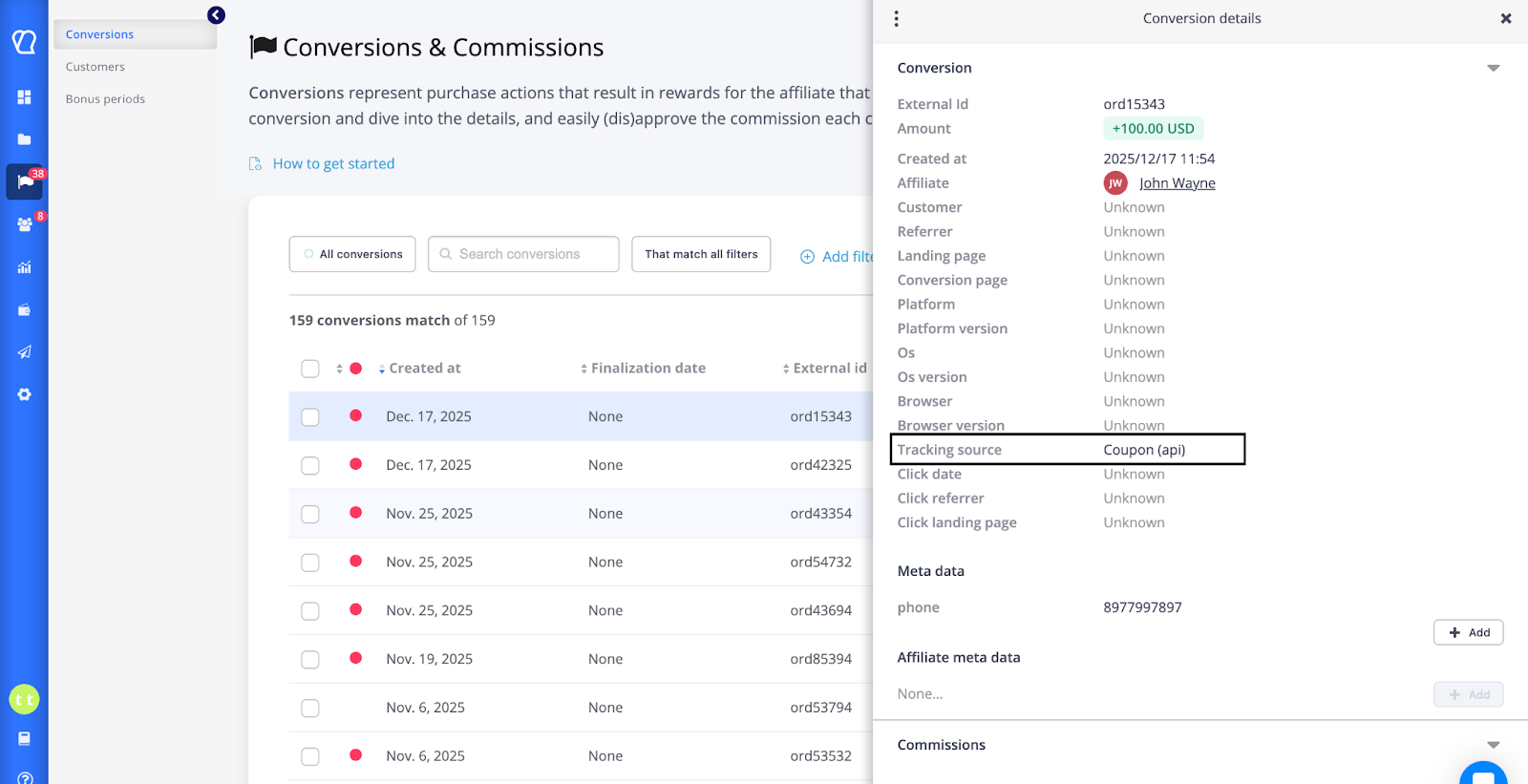
JavaScript, REST API or postback
- JavaScript: add the coupon code to the conversion call. See the JavaScript API docs.
- REST API: include the
couponparameter when creating the conversion. No click id or cookie is needed for that order. See the REST API docs. - Postback (S2S): send
coupontogether withexternal_idfrom your backend. See the postback guide.
Zapier
- Trigger: new order in your platform.
- Filter: the order contains a coupon code.
- Action: create a conversion in Tapfiliate.
- Map the coupon code, order value and customer details.
- A coupon beats a click. If an order carries a code assigned to an affiliate, that affiliate gets the conversion, even if the customer clicked someone else’s link first. The one exception is a returning customer in a program with lifetime/recurring commissions: they stay with the affiliate they are already tied to.
- Send the coupon only for codes that belong to an affiliate. Through the REST API or postback, a conversion sent with a code that is not assigned to anyone is rejected with “Unknown coupon code”. For all other orders, send the click id instead.
- The JavaScript tracker skips unknown codes. Codes passed in
couponswith the JavaScript conversion call (and by the WooCommerce and PrestaShop plugins) that do not belong to any affiliate are ignored, and the conversion is attributed by the click as usual. - One code per affiliate per program. An affiliate in several programs can have a different code in each.
- Codes are unique across your whole account. A code can belong to only one affiliate, and the same code cannot be reused in another program. If you are bringing several stores into one account and two of them use the same code today, one has to be renamed, for example with a country suffix.
- Removing a code does not remove history. Conversions already credited stay as they are.
‼️ Conversions are not being tracked
- Check the coupon exists and is active in your store.
- Check the code in Tapfiliate matches exactly, including capitals.
- Check you pressed Enter after typing it. Refreshing without pressing Enter does not save it.
- Check your integration actually sends the coupon with the order.
Best practices
- Use a clear naming rule, for example
AFF_JOHN10. - Test a code before you share it with affiliates: assign a test code and create a test conversion with it.
- Never give the same code to two affiliates.
FAQ
❓Can Tapfiliate generate the codes for me?
No. Codes are created in the system that takes the payment. Tapfiliate links them to affiliates and tracks them.❓Do coupons need cookies?
No. Coupon attribution does not depend on cookies at all.❓Can an affiliate have two codes in the same program?
No, one per program. If you need a second code for the same partner, for example a deeper discount for a different audience, use a second program.❓Can I give every new affiliate a code without touching the dashboard?
Yes, with a trigger and the REST API. See Assigning codes automatically.Still need help?
If a coupon conversion is not appearing and the checks above did not find it, write to us at support@tapfiliate.com with the code and the order, and we will trace it.