November 3, 2026
- The Goal: Building Your Onboarding Flow
- How to Manage Default Onboarding Fields
- Custom Fields: Adding Your Own Questions
- IMPORTANT: Plan Requirement
- FAQ
- Next Steps
Your sign-up form is your first opportunity to qualify a partner. Studies show that collecting just three to five non-essential fields can boost the quality of your applicants by up to 40% because it filters out low-effort sign-ups. This article shows you how to use the Onboarding section to control exactly what data you gather. By customizing your fields, you ensure every partner provides the strategic information you need, turning simple sign-ups into highly qualified assets.
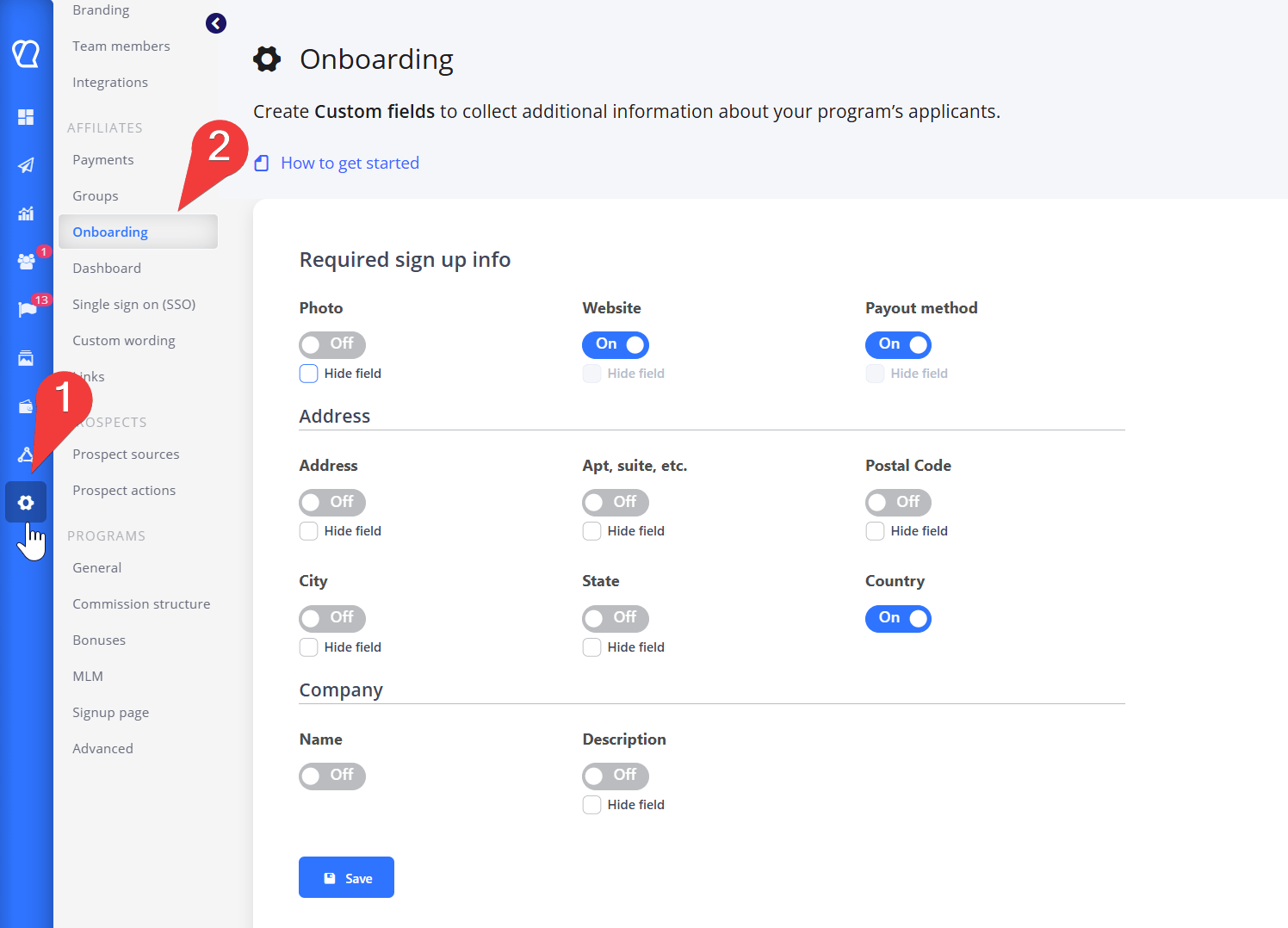
The Onboarding section (found under Settings -> Onboarding) lets you control both the default fields and add your own custom questions.
Why Customize Fields in the Onboarding Section?
The Onboarding section lets you collect specific, extra data beyond the basic name and email that Tapfiliate gathers by default. This information helps you:-
Better Check Partners
Learn about their promotion methods, social media following, or audience size. -
Segment Affiliates
Sort partners into groups based on the information they provide.
You can ask for specific details like social media links, audience size, or a preferred coupon code. Standard sign-up forms capture basic information, but Custom Fields allow you to gather specific, high-value data essential for managing a professional partnership program. This powerful feature helps you vet potential partners, understand their audience reach, and automatically categorize them for targeted communication and reward structures. The table below details how to configure these fields.
Important: Never use this feature to collect sensitive data, such as Social Security Numbers (SSN).
The Custom Sign-up Fields feature is available only to users on the Scale and Enterprise plans.
How to Manage Default Onboarding Fields
In the Onboarding section, you can control the visibility and importance of the default fields Tapfiliate provides (such as Website, Address, and Company details).Understanding Visibility and Requirement
The standard toggle (On/Off) and the Hide field checkbox work together to manage the user experience: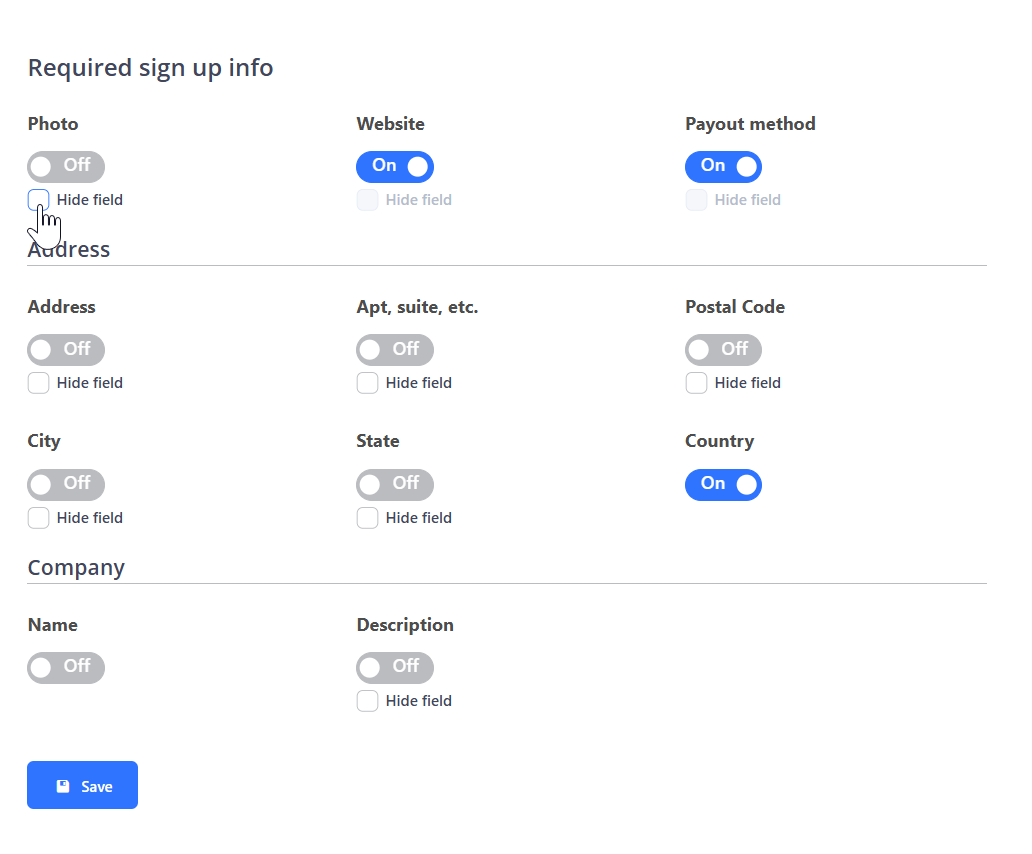
In simple terms:
- Toggle ON (Required): The field is visible and the affiliate must fill it out.
- Toggle OFF (Optional): The field is visible, but the affiliate may skip it.
- Toggle OFF + Hide field: The field is completely hidden from the sign-up form.
FAQ
❓Is custom field input available through the REST API?
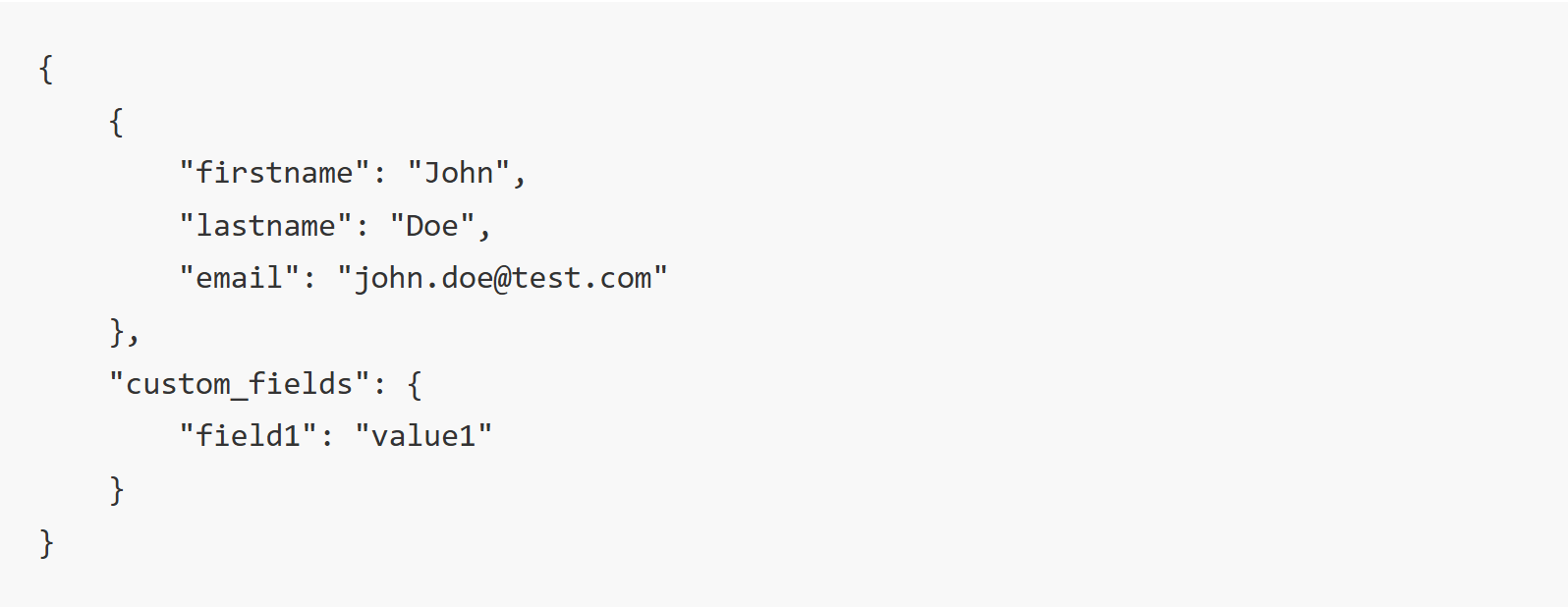
Yes, all data collected through your custom sign-up fields is available via our REST API. To retrieve this data, you need to call the specific endpoint for affiliate custom fields.- Endpoint: https://api.tapfiliate.com/1.6/affiliates/custom-fields/
- Method: GET
- Example Response: The response will include the standard affiliate data along with a nested object containing the custom field inputs:
Still need help?
If you have any questions or if something in this guide is unclear or If you want to unlock this feature and collect more details about your affiliates, please don’t hesitate to contact us at support@tapfiliate.com-we’re happy to assist!
You have successfully defined and customized the core elements of your affiliate sign-up process. Here is what you should focus on next to fully equip your partners:
- Affiliate Assets: Learn how to provide promotional materials (like banners and links) to your partners so they can start promoting immediately.
- Affiliate Resources: After that, learn how to add Support Materials to the Affiliate Portal to keep your partners informed and help them succeed independently.