November 9, 2026
- Why does my affiliate have a negative balance?
- How do I interpret “Reports” vs. “Balances”?
- How can I check an affiliate’s payment history?
- How do I set up a Sandbox account for testing?
- Best Practices for Data Accuracy
❓Why does my affiliate have a negative balance?
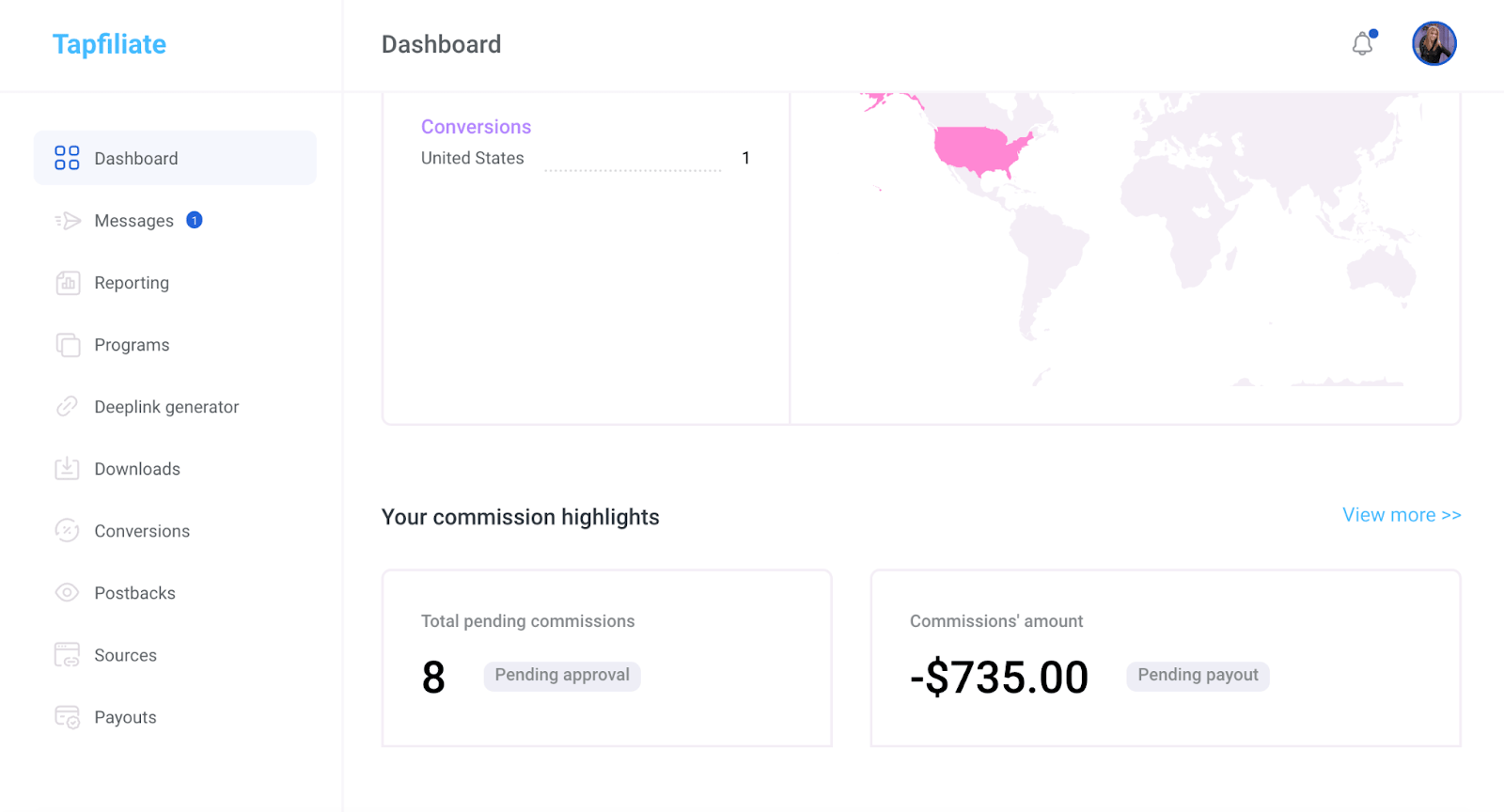
A negative value in the “Balances” section indicates an overpayment. This happens if the payments made to a publisher exceed their earned commissions. Conversely, a positive value indicates an underpayment (commissions owed to the affiliate). Example of a negative balance in the advertiser portal: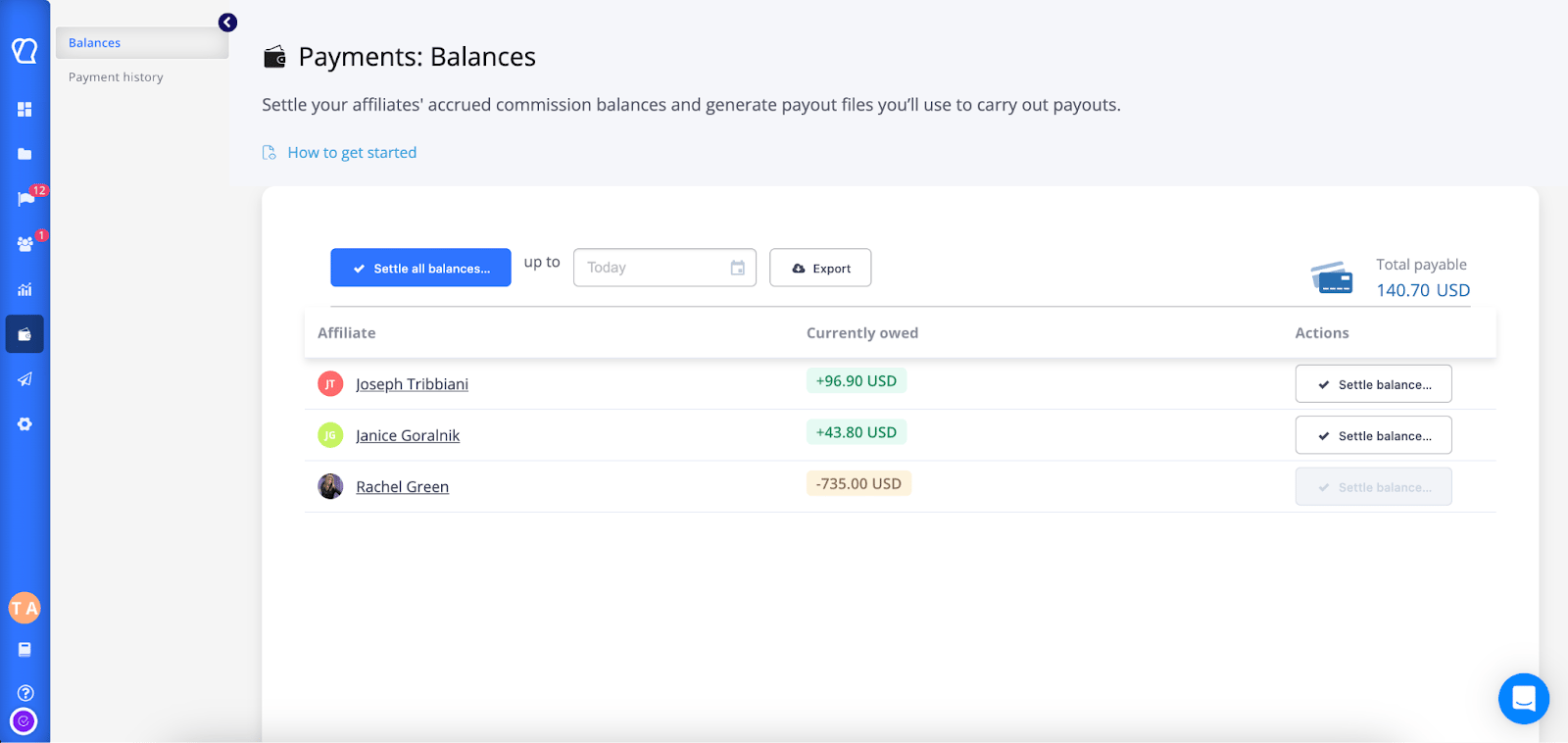
❓How do I interpret “Reports” vs. “Balances”?
- Report Section: A snapshot of total commissions earned by a publisher for a specific period.
- Balance Section: A running tally reflecting the net balance between total commissions earned and total payments made.
❓How are the balances calculated?
Balances are calculated as follows:- All approved commissions minus paid out amounts
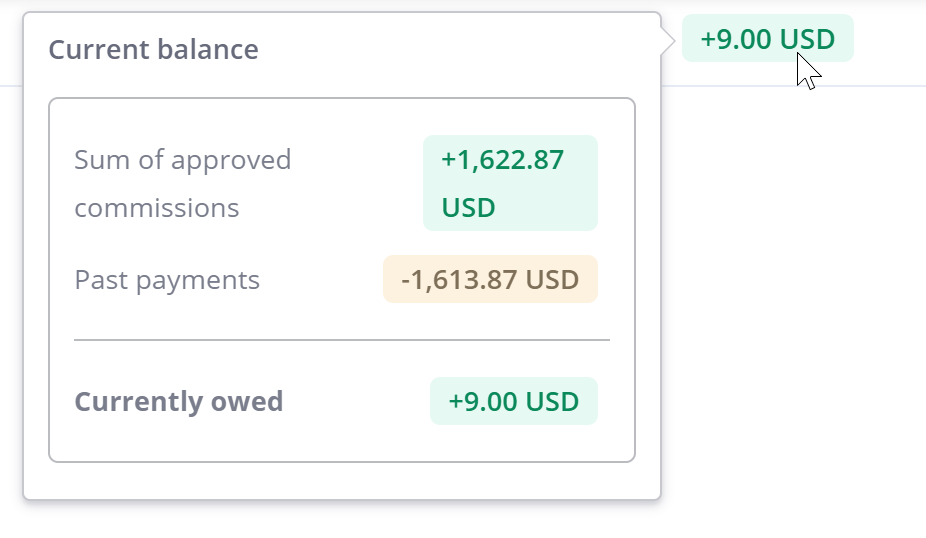
Example:
- An affiliate creates a conversion with $10 commission. At this point, the affiliate’s balance is $0.
- When the commission is approved, the affiliate’s balance becomes $10.
- When the affiliate’s balance is settled (paid out), the affiliate’s balance goes back to $0.
- If a refund happens for the order/conversion, you can disapprove the conversion/commission tied to it.
- After disapproval, the affiliate’s balance becomes -$10.
❓How can I check an affiliate’s payment history?
To view past payments, go to the Affiliates section, select the affiliate, and click “Go full profile” to see all financial transactions associated with them.❓How do I set up a Sandbox account for testing?
We offer sandbox environments for development and staging.- Requirements: You must have an active paid Tapfiliate account. If the paid account is canceled, the sandbox account will also close.
- How to start: Create a new account and contact support to switch it to “Sandbox mode”.
- Usage: Includes 1,000 monthly clicks, views, and conversions. Usage beyond this is billed at USD 1 per 1,000 extra events.
Best Practices for Data Accuracy
- Verify Tracking Links: Ensure affiliates use correct links to avoid inaccurate data.
- Review Reports Regularly: Identify anomalies early.
- Communicate: Reach out to affiliates to clarify mismatches.
- Document: Keep records and screenshots of any data confusion to assist Support in resolving issues.