October 15, 2026
- Overview of How Affiliate Payment Information Collection Works
- Default payout methods available in Tapfiliate
- How to create a custom payment method
- FAQs
- ACH
- Bank (Australia)
- Bank (IBAN)
- Bank (India)
- Bank (International)
- Bank (UK)
- Bitcoin
- Check
- Ether
- Litecoin
- MercadoPago
- Neteller
- Payoneer
- PayPal
- PayQuicker
- Skrill
- Stellar (XLM)
- Venmo
- Webmoney
In addition to the wide variety of payout methods already offered by Tapfiliate, you can also add custom payout methods to pay your affiliates.
To set up a new payout method:
- Go to your Settings tab → Payments
- Scroll down to the Create New Payout Method button and click on it
- Next, give your new method a title and create the fields. These fields will appear as questions that affiliates need to fill out.
- PayPal is already offered as a standard payout method, so there’s no need to create it as a custom method.
- Tapfiliate already collects First Name, Last Name, and Email Address by default. You don’t need to ask for this information again when creating a custom payout method.
For now, you can integrate Tapfiliate with Stripe to track payments as conversions — this is separate from affiliate payouts. ❓How can I check if an affiliate has added their payout details?
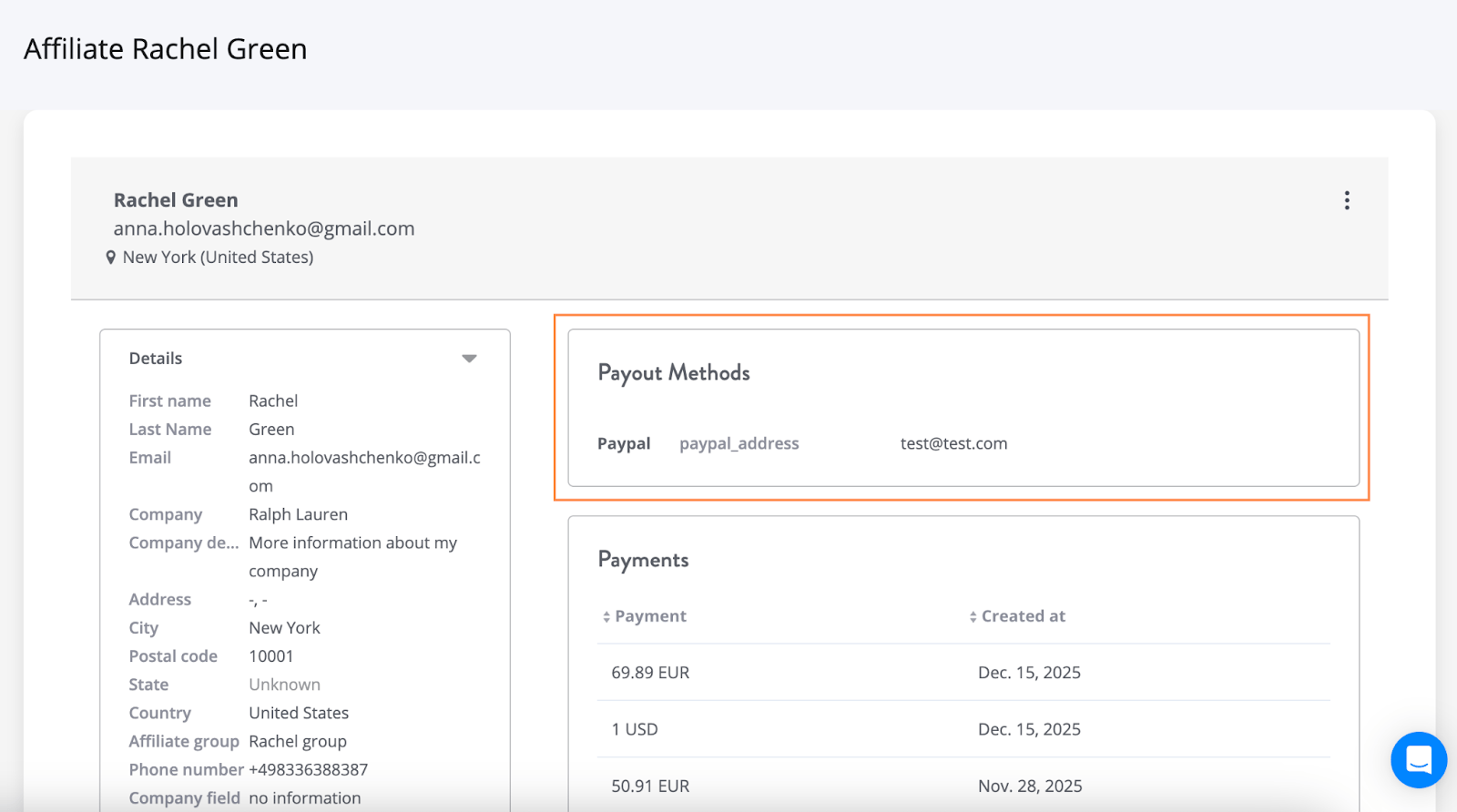
- Go to the Affiliates tab in your account.
- Click on the affiliate in question.
- Click the Go to Full Profile button.
If the affiliate has added payout details, they will appear in the Payout Methods section.