November 10, 2026
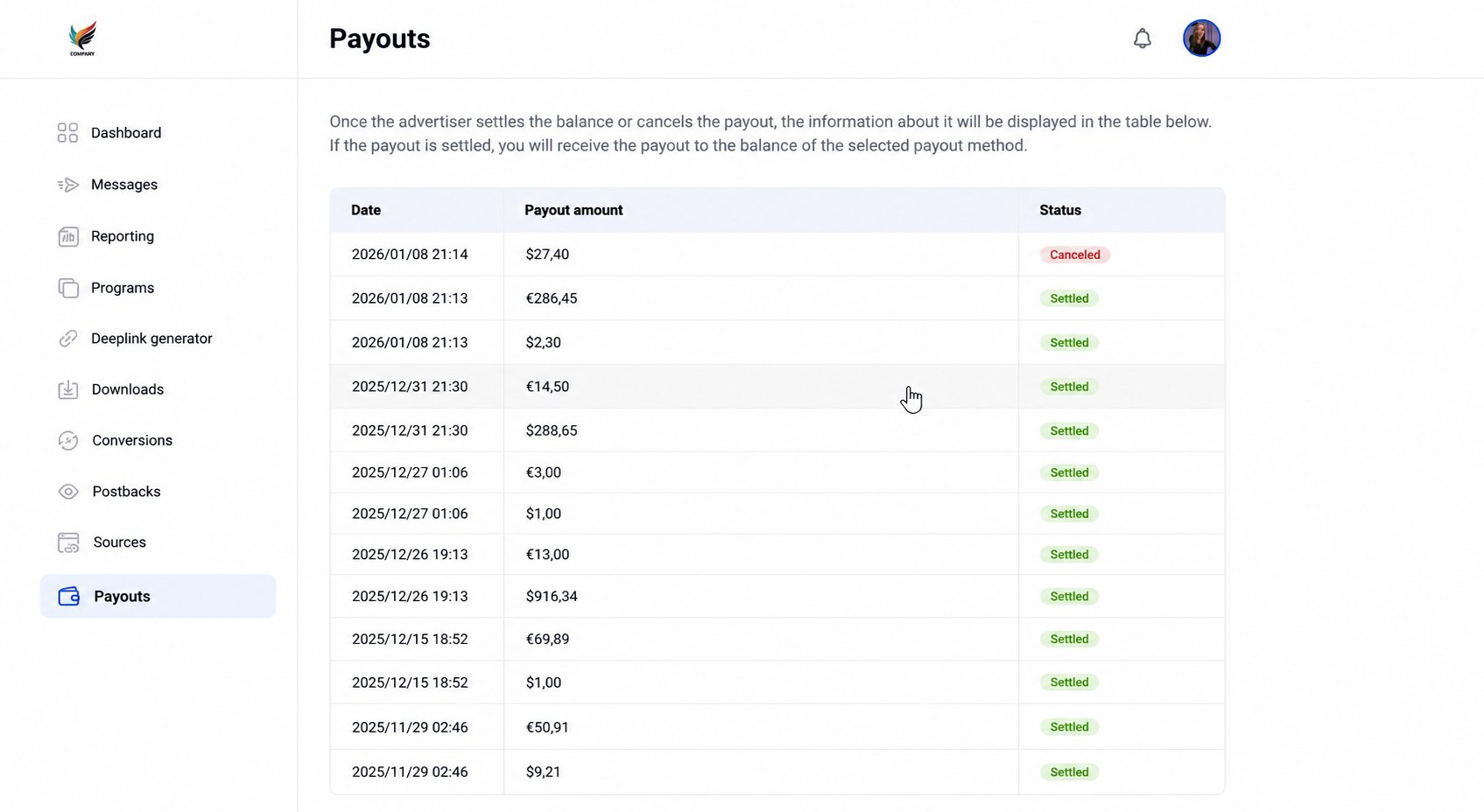
To view your payment history and current status, follow these steps:
- Navigate to the sidebar menu on the left side of your dashboard.
- Click on Payouts. If the program has customized the wording of its portal, this item may have a different name.
- On this page, you will find a table detailing your Date, Payout amount, and Status (e.g., Settled or Canceled).
It is important to distinguish between technical platform help and payment inquiries:
- Contact your Program Manager: For all questions regarding payout schedules, missing payments, or specific amounts, you must reach out to your advertiser’s program manager directly. The advertiser is responsible for sending your funds, not Tapfiliate.
- Contact Tapfiliate Support: Reach out to us only for technical questions regarding the dashboard interface or if you encounter bugs while navigating the “Payouts” section.
❓What does “Settled” status mean?
Settled means the program has recorded this payout as paid. It does not by itself confirm that the funds have arrived. If you don’t see the funds, contact the program owner. For more details, see What Tapfiliate Support Can and Cannot Help With.❓What should I do if my payout is “Canceled”?
If you see a canceled status, please contact your program manager to understand the reason, as this action is taken by the advertiser.❓How do I set my payment method?
You can manage this by clicking your profile icon and selecting Payout methods from the dropdown menu to ensure your funds are sent to the correct account.Next Steps
- How do I update my personal information? Ensure your contact and channel details are correct in the Personal info tab.
- How do I change the password? Keep your account secure by updating your credentials in the Password change section.
- How do I change the language of my affiliate account? Customize your interface via the Language dropdown in your profile settings.