October 22, 2026
In this article, we will cover:
- Why communication with your advertiser matters
- How affiliates determine communication availability
- Why Communicating with Your Advertiser Is Important
- The available communication tools in Tapfiliate
- How to use each feature as an affiliate
- Alternative ways to contact your advertiser
Communication Overview
As an affiliate, staying in touch with your advertiser helps you get updates, ask questions, clarify promotions, and improve your performance. Tapfiliate provides two built-in ways for advertisers and affiliates to communicate within the platform:- Notifications – one-way announcements sent by the advertiser
- In-platform Messenger – two-way direct messaging between you and the advertiser
How an affiliate can understand if communication is available
The communication features are only available on certain plans.Feature Availability
- Scale plan or higher:
- Notifications ✔
- In-platform messenger ✔
- Launch plan:
- Notifications ✘
- In-platform messenger ✘
Why Communicating with Your Advertiser Is Important
Good communication helps you:- Stay informed about promotions, new products, or commission changes
- Ask questions about tracking, payouts, or marketing guidelines
- Resolve issues faster without relying on external email threads
- Build a stronger partnership with the advertiser
Communication Tools in Tapfiliate
Tapfiliate offers two distinct features inside the Messenger section:Notifications
Notifications are messages sent by the advertiser to affiliates. Key characteristics:- Sent by the advertiser to all affiliates or selected affiliates
- One-way communication
- Affiliates cannot reply to notifications
- Used for announcements, program updates, or important notices
In-Platform Messenger
The in-platform messenger allows direct two-way conversations. Key characteristics:- Either the advertiser or the affiliate can start a conversation
- Messages can be sent and received inside Tapfiliate
- Ideal for questions, clarifications, and ongoing communication
- Works like a private chat between you and the advertiser
How to Use Notifications
Notifications appear in the Messages section of your affiliate dashboard.What You Can Do as an Affiliate
- View all messages sent by the advertiser
- Read program updates, promotions, or instructions
- Stay informed about changes that affect your account
Important Limitation
You cannot reply to notifications. If you need to respond or ask a question, you must use the in-platform messenger or contact the advertiser externally.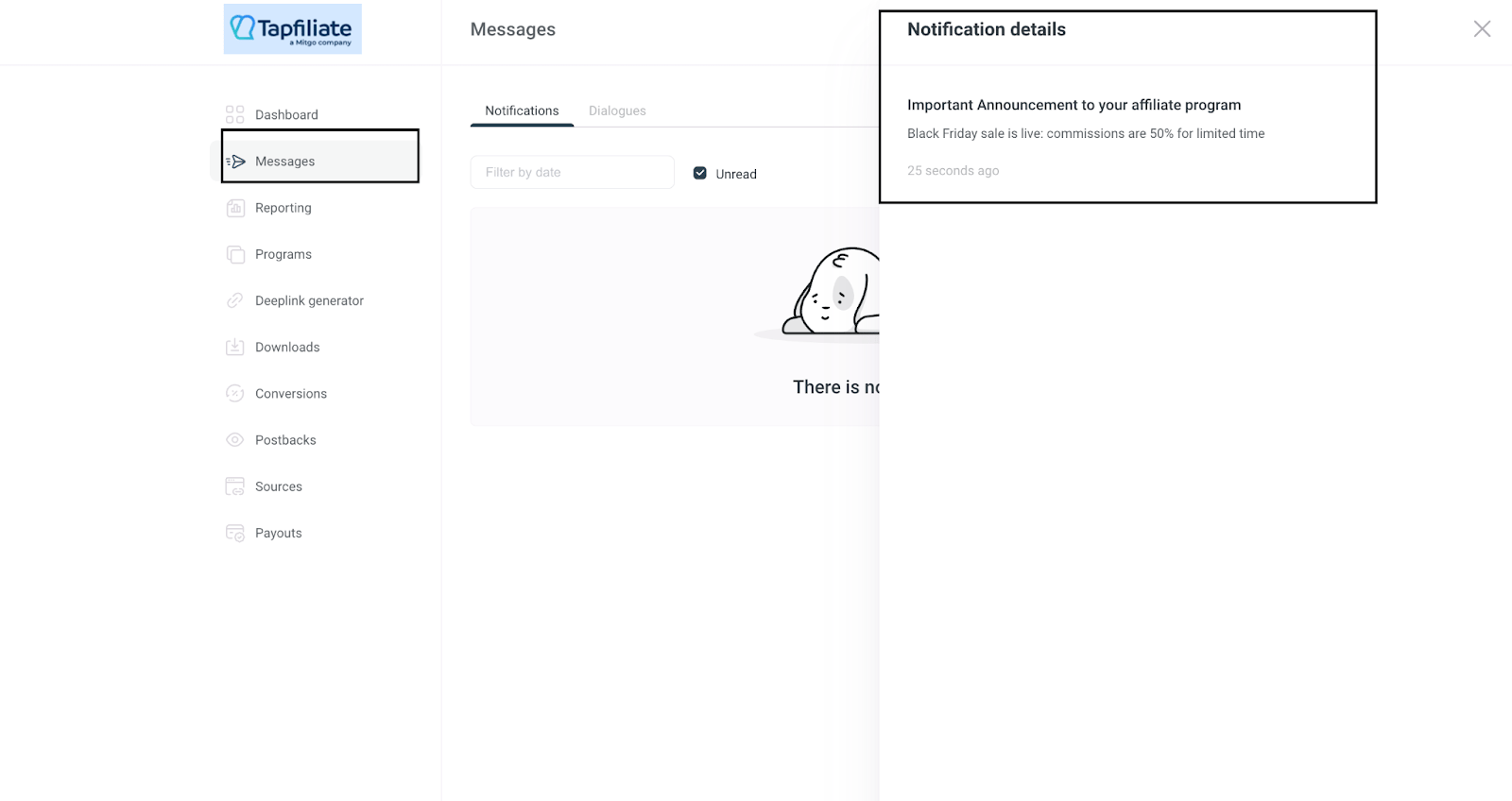
How to Use the In-Platform Messenger
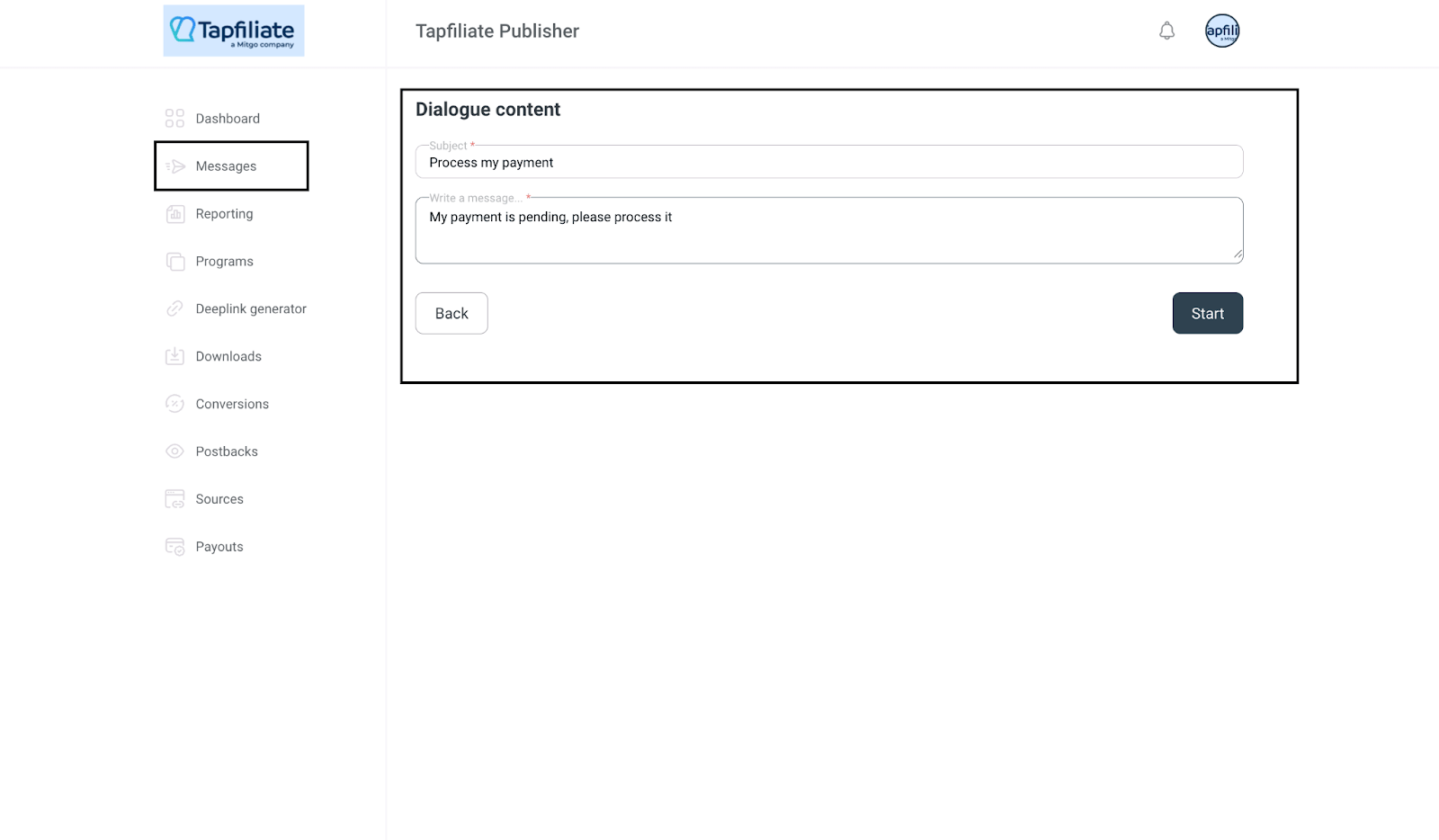
The in-platform messenger allows you to directly message the advertiser.Starting a Conversation
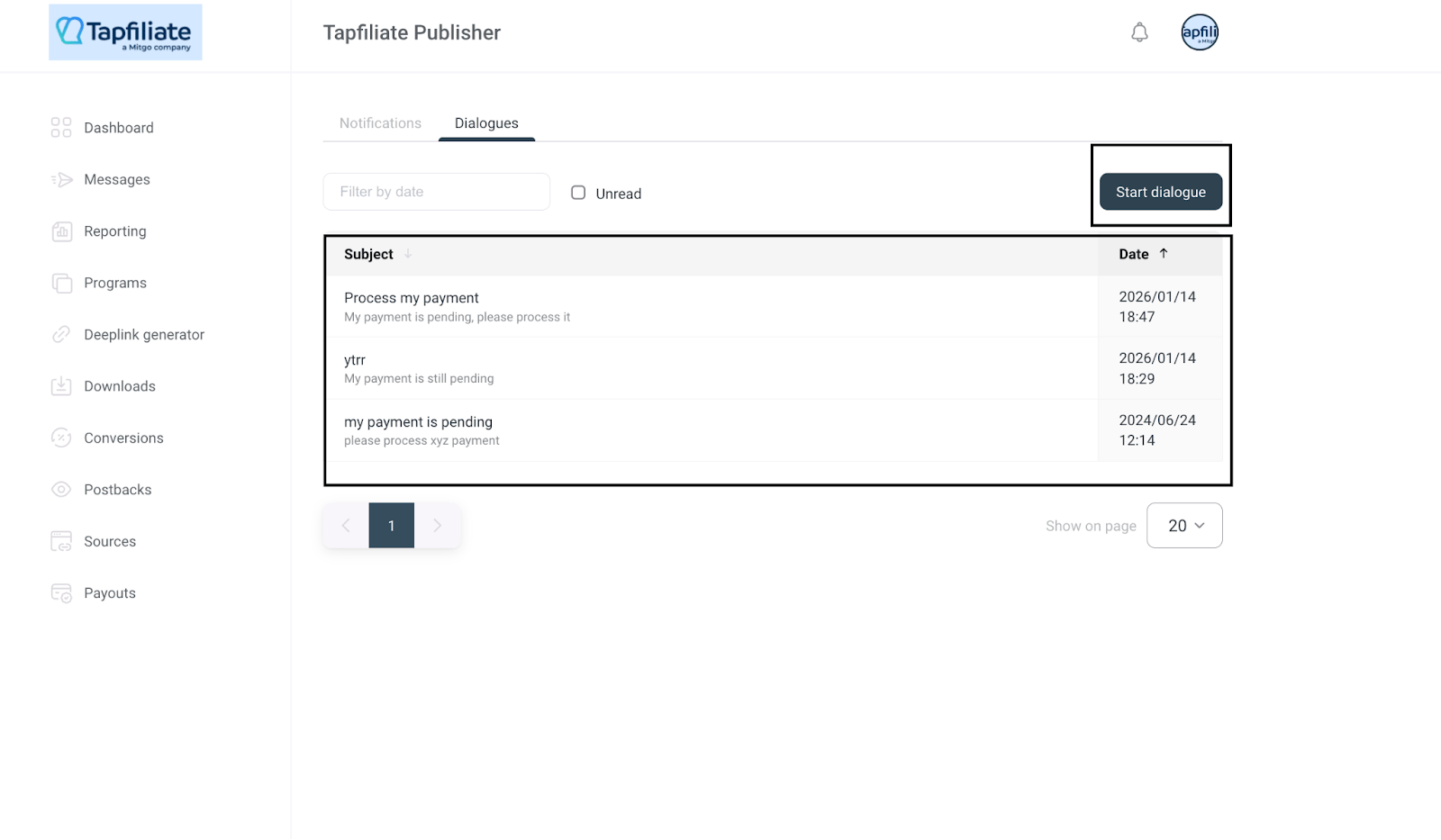
- Go to Messages in your dashboard
- Open the Dialogues section
- Start a new conversation with your advertiser
What You Can Use It For
- Asking about commissions, approvals, or payouts
- Clarifying campaign rules or allowed traffic sources
- Discussing promotional opportunities
- Reporting issues or asking for technical help
Communicating Outside of Tapfiliate
In addition to in-platform tools, you can always communicate with your advertiser using external methods such as:- Support tickets
- Social media or other contact methods provided by the advertiser
Best Practices for Affiliate Communication
Read all notificationsImportant program updates are often shared via notifications. Use the messenger for questions
Keep communication organized by using the in-platform messenger instead of external channels when possible. Be clear and professional
Provide specific details when asking questions to help the advertiser respond quickly. Follow up when needed
If you don’t receive a reply, consider using external contact methods. Need More Help?
If you are unsure whether your program supports messaging or need help navigating the Messenger section, reach out to your advertiser directly or contact Tapfiliate support at support@tapfiliate.com. We’re happy to help you stay connected and make the most of your affiliate partnership.